Suno Downloader AI
AI music for cooking videos: match the sound to the dish
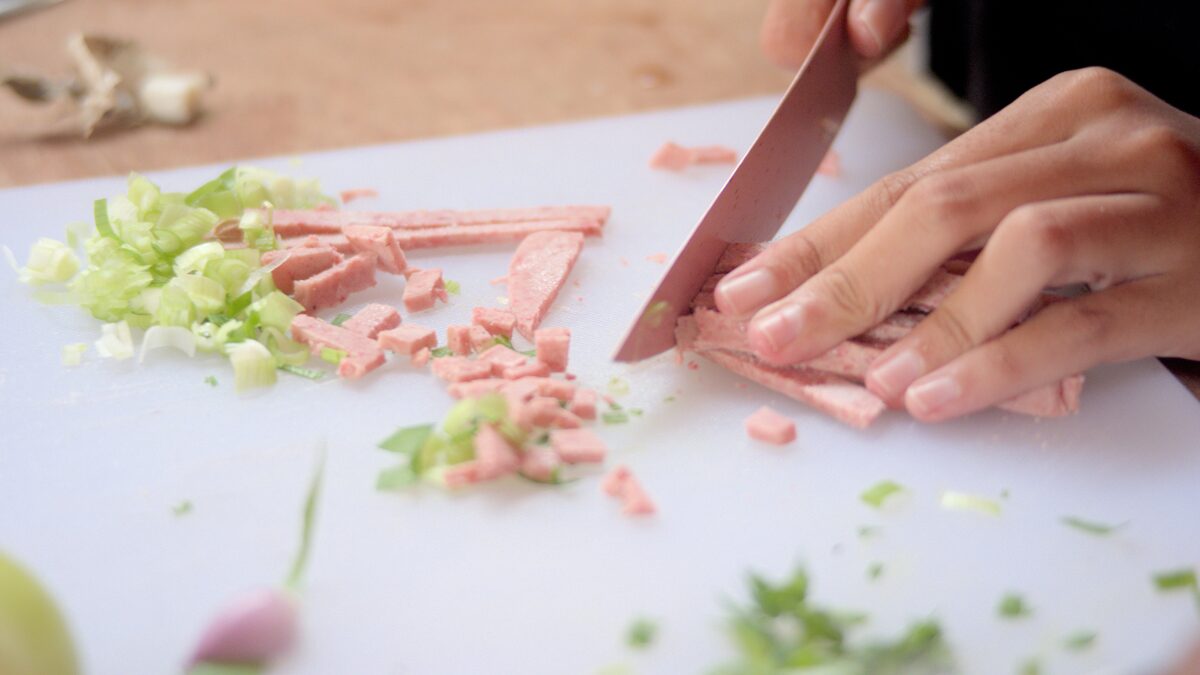
Turn the sound off on a cooking video and something goes flat. The onions still sizzle, the knife still moves, but the pace disappears. Music is what gives a recipe video its rhythm, telling the viewer how to feel about the dish before a single word of narration lands. A brisk track makes a weeknight stir-fry feel quick and doable. A warm, slow one makes a pot of stew feel like a hug. The food is the star, but the music is the lighting, and getting it right is the difference between a clip people scroll past and one they watch to the last bite.
The problem every food creator runs into is that good music is hard to source cleanly. Popular songs get videos muted or demonetized, stock libraries all sound the same after a while, and the tempo rarely matches the dish. AI music tools like Suno solve this by letting you generate a track that fits the exact feel of a specific video, in the mood and pace you want, that you can then download and drop straight into your edit. The trick is knowing what feel each kind of cooking video wants. This guide is organized around exactly that.
Upbeat and fun for fast recipes
Quick recipes want quick music. If your video is a thirty-second reel showing a five-ingredient dinner coming together, or a fast-cut sequence of chopping, tossing, and plating, the soundtrack needs to move at that speed. Upbeat, bright, bouncy tracks somewhere in the pop or funk range give these videos their energy and make the cooking look easy and fun, which is exactly the feeling that makes a viewer think they could do it too.
The pace of the music should roughly match the pace of your cuts. Fast recipes usually get edited tight, with lots of quick jumps between steps, and a track with a driving beat around 120 to 130 BPM carries that momentum. When you generate the music, describe the vibe you are after: something like a fun, upbeat funk track with a bouncy bassline, bright and energetic, no vocals. The no-vocals part matters here because fast videos often carry text overlays or a peppy voiceover, and a lead vocal would fight both.
The other reason upbeat works for fast recipes is emotional. Quick dinners are about removing friction, convincing a tired viewer that this dish is genuinely achievable tonight. Happy, energetic music sells that promise. It says this is going to be quick and it is going to be good, before you have said a word about the ingredients. Generate two or three of these bright tracks, download them, and you have a reliable set for every fast recipe you shoot.
A useful trick with fast recipes is to let the music carry the moments where nothing is being said. Quick videos often have silent stretches, the whisk going, the pan flipping, and an energetic track keeps those beats alive instead of letting them sag. If you can loosely sync a cut to the beat, chopping on the downbeat, revealing the finished plate as the track lifts, the whole clip feels tighter and more satisfying. That kind of rhythmic edit is far easier when the music has a clear, steady pulse, which is exactly what you can ask an AI generator to produce.
Warm and cozy for comfort food
Comfort food asks for the opposite of speed. A slow-braised stew, a tray of cinnamon rolls, a bowl of soup on a grey day, these dishes are about warmth and patience, and the music should feel the same way. Think acoustic guitar, soft piano, gentle brushed drums, a mood that is unhurried and homey. This is the sound of a kitchen on a Sunday morning, and it wraps the whole video in a feeling before the food is even on the plate.
The tempo here comes down. Comfort food videos often use longer, lingering shots, steam rising, a spoon stirring slowly, and the music needs room to breathe alongside those shots. A slower track, warm and a little nostalgic, matches the pace of the cooking and the pace of the eating you are inviting the viewer to imagine. When you prompt an AI tool, lean into the feeling: a warm, cozy acoustic track with soft piano and gentle guitar, relaxed and homey, instrumental.
Comfort food is also where music does the most emotional lifting. Nobody watches a stew recipe purely for the technique. They watch because it makes them feel something, warmth, memory, the promise of a good meal. The right cozy track amplifies all of that. Because you can generate music tuned exactly to that mood and download it for your edit, you are not stuck settling for the nearest stock approximation. You get the specific warmth this particular dish deserves.
Seasonal comfort food is worth planning music around too. A hot soup in winter, a fresh berry crumble in summer, and holiday baking all carry slightly different feelings, and you can tune your tracks to match. A little more sparkle and bells for a festive bake, a mellower and warmer tone for a rainy-day stew. Small mood shifts like these are trivial to describe to an AI tool and impossible to find precisely in a generic library. Building a handful of cozy tracks with these seasonal shades gives your comfort content a range that keeps it from feeling same-y across a year of videos.
Sleek and modern for gourmet
When the food gets fancy, the music should get sophisticated. Gourmet content, careful plating, fine-dining technique, restaurant-quality presentation, calls for a soundtrack that signals refinement. Sleek, minimal, modern production works here: clean electronic textures, a subtle beat, maybe a touch of jazz or downtempo cool. The goal is to make the video feel premium, matching the care that goes into the food.
Restraint is the watchword. Gourmet videos usually slow down for the hero moments, the sauce being spooned over the plate, the garnish placed with tweezers, and the music should feel controlled and elegant rather than busy. A minimal track with space in it lets those beautiful shots land. Describe it to the generator as sleek and modern: a smooth, minimal electronic track with a subtle beat and a cool, sophisticated mood, no vocals. That cleanness reads as quality, and quality is the whole pitch of a gourmet video.
This is also a place where a distinctive sound sets your channel apart. A lot of food content defaults to the same handful of stock tracks, and viewers tune it out. Generating your own sleek, modern music gives your gourmet videos a signature feel that matches your visual style. Over time that consistency becomes part of your brand, the sound people associate with your channel. Download a small set of these polished tracks and reuse them across your premium content to build that recognition.
Chill lo-fi for a relaxed cook-along
Some cooking videos are not really about speed or spectacle. They are about company. A long-form cook-along where you talk the viewer through a recipe in real time, or a relaxed morning-coffee-and-baking kind of clip, wants music that just keeps you gentle company in the background. Lo-fi is made for exactly this. Warm, mellow, slightly lazy beats with a soft crackle and a loose groove create a calm, hang-out atmosphere that suits a leisurely cook perfectly.
The beauty of lo-fi for cook-alongs is that it sits so easily under talking. Its whole aesthetic is low-key and unobtrusive, which means it fills the silence without competing with your voice when you explain a step. For a video where you are essentially chatting with the viewer while you cook, that is exactly what you want. Prompt for it directly: a chill lo-fi hip-hop beat, mellow and warm with a soft, relaxed groove, instrumental, easy to talk over.
Lo-fi also loops and layers well across a longer video without becoming annoying, because it is designed to be ambient rather than attention-grabbing. Generate a couple of mellow tracks, download them, and you can run them under a ten-minute cook-along without the music ever getting in the way or wearing out its welcome. It is the audio equivalent of good kitchen lighting: you barely notice it, but the whole thing feels better because it is there. If you make videos across different formats, our guide to AI music for vlogs covers matching sound to your channel's overall style.
Keeping music under the sizzle and narration
Here is the mistake that ruins more cooking videos than any other: the music is too loud. In a cooking video the two most important sounds are the food itself, the sizzle, the chop, the bubbling pot, and your voice explaining what to do. Music is the third layer, and it belongs underneath both. When the music drowns out the sizzle, you lose the sensory pull that makes food content work. When it fights the narration, you lose clarity.
The fix is to mix the music low, sitting it well below your voice and below the natural kitchen sounds. In your editing software, this usually means dropping the music track's volume and, if your tool supports it, using ducking so the music dips automatically whenever you speak. The music should be felt more than heard, setting a mood without ever demanding attention. A good test: if you notice the music before you notice the food, it is too loud.
This is another argument for instrumental tracks over anything with vocals. In a cooking video, a lead vocal competes directly with your narration and with the ASMR-style kitchen sounds viewers love. Generating instrumental music from the start avoids the problem entirely. When you write your prompt, specify no vocals or instrumental so the track leaves room for everything that needs to sit on top of it. Get the balance right and the music, the sizzle, and your voice work as one layered soundtrack rather than three things shouting over each other.
Think about where the music should step forward and where it should step back within a single video. During a talking segment, where you explain why you salt the pasta water, the music should sink low. During a montage of the dish coming together with no narration, you can let it rise and take the lead. That rise and fall keeps the soundtrack interesting across a longer video and gives your edit a sense of dynamics. Since you own the downloaded file, you can automate this in your editor with volume keyframes, pushing the track up for the montages and pulling it down under your voice, without ever swapping to a different piece of music.
Copyright safety for food creators
If you post to YouTube, Instagram, or TikTok, you already know the pain of copyright. Use a popular song and your video can be muted, demonetized, or hit with a claim that hands your revenue to a rights holder. For a food channel trying to build an audience and maybe earn from it, that is a real threat. It is why so many creators end up trawling stock libraries for tracks that are cleared but forgettable.
AI-generated music offers a cleaner path. When you create a track with a tool like Suno, the audio is your own, so you are not gambling on someone else's copyright every time you publish. That means far less risk of claims, mutes, or takedowns on your cooking videos. It is only fair to add the standard caveat: commercial use, including monetized videos, depends on the plan you are on and the terms attached to your account, so check that your tier covers monetization before you rely on it. But compared to reaching for chart music and hoping, generating your own soundtrack is a far calmer way to publish. Our overview of using AI music for YouTube goes deeper on avoiding copyright strikes.
Downloading and dropping it into your edit
Once you have generated a track that fits the dish, you need the actual file in your editing timeline, and that means downloading it. Grab the track as an MP3 for quick, lightweight edits, or as a WAV when you want the highest quality to mix carefully under your audio. Having a local file gives you full control in your editor: you can trim it to length, set the fade points, and adjust the volume against your voice and the kitchen sounds without depending on a stream.
A simple workflow keeps this painless. Decide the feel of the video first, fast and fun, cozy, sleek, or chill. Generate a track that matches, download it, and pull it into your project below your narration and sizzle. Mix it low, add a fade in and out, and export. Because the downloaded files are yours to keep, you can build a small organized library, a folder of upbeat tracks, one of cozy ones, one of sleek and one of lo-fi, and pull the right feel for each new video in seconds instead of generating from scratch every time.
That library is what turns this from a one-off trick into a real workflow. Over a few months of cooking videos you accumulate a set of downloaded tracks tuned to every kind of dish you make, all copyright-safe, all yours, all matched to the way your channel looks and sounds. The food stays the star, the sizzle stays front and center, and the music does its quiet job of setting the pace and the mood. That is the recipe for a cooking video that people actually watch to the end.
Find the sound your dish deserves
Generate a track that matches the feel of your recipe video, then download a clean MP3 or WAV to mix under your sizzle and narration.
Open the free downloader