Suno Downloader AI
AI music for games: original soundtracks for indies
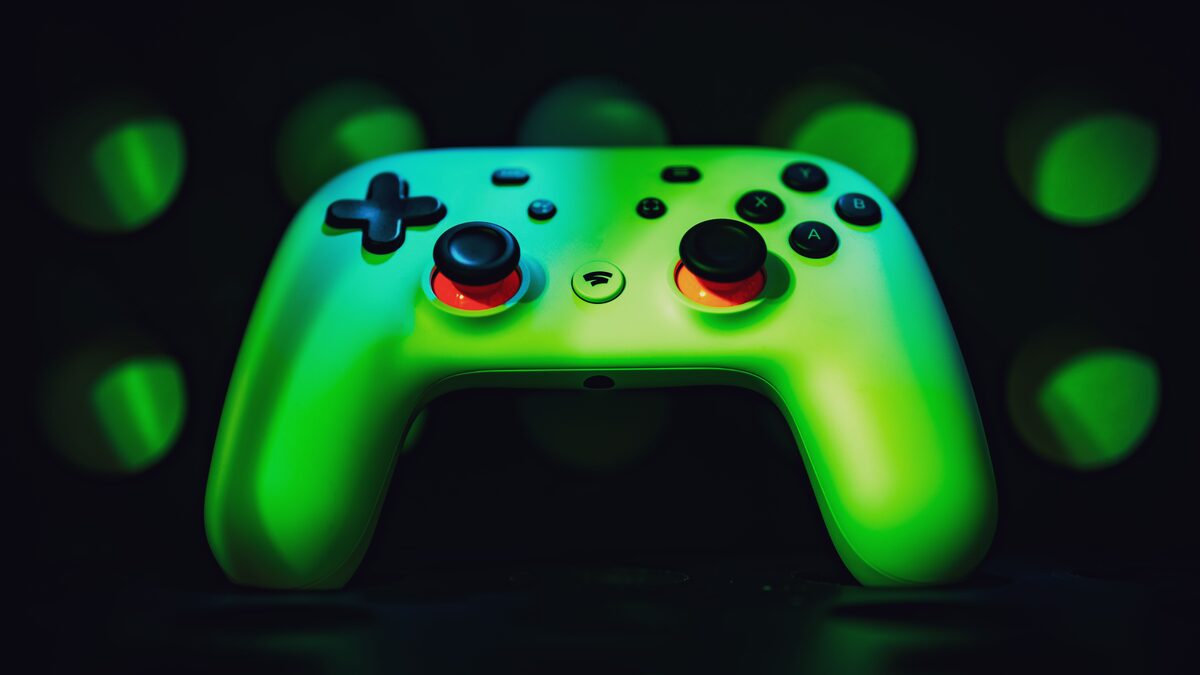
A game lives or dies on its atmosphere, and music is a huge part of that, but a custom soundtrack has always been out of reach for solo and small developers on a budget. AI changes the maths. With Suno you can score your whole game with original music, a menu theme, level tracks, a boss battle, all copyright safe and made in an afternoon. This guide covers how to use AI music for games: making loops and themes, keeping them original, handling licensing for a commercial release, and exporting clean files for your engine.
Why indie developers use AI music
The old options were all painful for a small team. Commissioning a composer is expensive, licensing existing music is a legal maze, and generic asset store packs make your game sound like everyone else's. AI gives you original music tailored to your game for almost nothing, which is transformative when you are one person doing art, code, and design already. You can iterate on the soundtrack as fast as you iterate on everything else, trying a dozen moods for a level in the time it once took to brief a composer. For an indie developer, that speed and cost make a custom score finally realistic.
What game music you can make
A game usually needs a set of tracks, and AI can cover all of them.
- A main theme and menu music that set the tone.
- Level and area tracks, each matching a different environment.
- Tension or boss music for high stakes moments.
- Ambient beds for exploration and calm sections.
- Short victory, defeat, and event stings.
Making these yourself gives your game a cohesive, original score instead of a patchwork of stock tracks.
Make music that fits your game
Good game music matches the world you built, so start from that. Prompt Suno for the mood and setting, chiptune for a retro platformer, dark ambient for a horror game, orchestral for an epic adventure, upbeat electronic for a fast arcade title. Ask for an instrumental, since lyrics rarely suit gameplay, and describe the feeling you want the player to have in that moment. Generate several options for each track and pick the one that fits the scene. Because you can iterate cheaply, you can try the soundtrack against actual gameplay and adjust until the music and the game feel like one piece.
Styles that suit games
Certain styles are strongly associated with games, and you can prompt for them directly. Chiptune and retro synth fit pixel art and arcade titles. Orchestral and cinematic music suits adventure, strategy, and story games. Dark ambient and drone work for horror and atmosphere. Energetic electronic and synthwave drive fast action and racing. Lo-fi and gentle acoustic suit cozy and casual games. Naming the style along with the mood gives the tool a clear target, so instead of game music, try retro chiptune, upbeat, adventurous. Match the style to your genre and the soundtrack instantly feels like it belongs to your game rather than borrowed from another.
Chiptune and retro game music
Retro styles deserve a special mention because they are so tied to games and they generate well. If you are making a pixel art platformer, a puzzle game, or anything with an old school feel, prompt for chiptune or eight bit style music, and add the mood, cheerful, tense, adventurous. These styles are simple by nature, which suits looping and keeps them from overwhelming gameplay. They also carry instant nostalgia that players connect with. A short, catchy chiptune loop for a level, plus a jingle for level complete, can give a small retro game a soundtrack that feels authentic to the era it is drawing on, at no cost beyond a few generations.
Loops for gameplay
Most game music loops, since a player might spend a long time on one level, so making tracks that repeat cleanly matters. Ask for a steady, consistent track without a dramatic beginning or end, since a piece that starts quiet and ends big is hard to loop. Ambient and electronic styles loop naturally because they hold a mood throughout. Once you have a good section, you can set it to loop in your engine, and a clean, even track will repeat without an obvious seam. Thinking about looping when you generate saves you from music that sounds fine once but grates on the tenth repeat.
Match music to each scene
Different parts of a game want different energy, and matching the music to each scene makes the whole thing feel intentional. A calm town or hub suits warm, gentle music, a dungeon wants tension, a chase or boss fight wants driving intensity, and a victory screen wants triumph. Rather than one track for the whole game, make a small set matched to your scenes and switch them as the player moves through the world. When the music shifts with the action, players feel the change even without noticing the soundtrack, and that responsiveness is a big part of what makes a game immersive.
Licensing: read this before you ship
This is the part that matters for a release. Using AI music in a commercial game means you need the right to do so, which generally requires a paid plan that grants commercial rights, not a free tier meant for personal use. Check your tool's current terms before you build a shipping soundtrack on its output, since the rules vary and change. Keep the music original and do not imitate a real artist or an existing game's score, which would create separate problems. For the wider picture on rights and ownership of AI tracks, our guide to AI music copyright covers what you need to know before you sell.
Layer music for changing intensity
A simple trick makes a soundtrack feel responsive without complex tools. Generate a calm version and a more intense version of the same theme, in the same style and tempo, then switch or crossfade between them in your engine as the action heats up. When the player enters combat, bring in the intense layer; when it calms, fade back to the mellow one. Because both come from the same musical idea, the transition feels natural rather than jarring. This gives even a small game a sense of dynamic music that reacts to play, and it is far easier than it sounds when the two versions share a common foundation.
Music versus sound effects
It is worth being clear about scope: a music tool makes music, not sound effects. Suno is the right tool for your themes, loops, and stings, but the click of a button, a footstep, or an explosion are sound effects, which come from a different kind of tool or a sound library. Think of your audio in two buckets, the musical score and the interactive effects, and use AI music for the first. Your victory jingle or boss theme is music and fits here perfectly, while the small interactive noises of play belong elsewhere. Keeping the two separate in your head makes it clear what to generate and what to source another way.
Test the music against real gameplay
Music that sounds great on its own can feel wrong in the game, so test it in context. Drop a candidate track into the actual level and play, since that reveals whether the tempo matches the pace, whether the mood fits the visuals, and whether a loop grates over time. Often you will find a track is close but a touch too busy or too slow, which is easy to fix by regenerating with a small tweak. Judging music against real gameplay rather than in isolation is what gets you a score that truly fits, and because generating alternatives is cheap, you can afford to try several against the scene.
Export clean files for your engine
Your game engine needs the music as files, and quality matters here since the audio will be compressed again in your build. The free Suno downloader turns your Suno link into a clean MP3 or WAV with no account, and the WAV is the one to take for game audio, since starting from high quality holds up better through your engine's processing. Save each track with a clear name matched to its scene, so importing into your project is tidy. Build your soundtrack library once, and dropping music into levels becomes a quick, organised step rather than a scramble.
Scoring your game?
Paste your Suno link, choose MP3 or WAV, download. Free, no sign up.
Open the free downloaderBuild a cohesive soundtrack
A great game score feels like one work, not a collection of unrelated tracks, so aim for consistency. Keep your tracks in a related musical style and palette, so the menu, the levels, and the boss music clearly belong to the same game. A recurring motif, a short melodic idea that appears across several tracks, ties a soundtrack together and gives your game a musical identity players remember. Because you generate everything yourself, you can steer toward that consistency deliberately, reusing themes and moods across the score. A cohesive soundtrack punches above its budget and makes even a small game feel polished and complete.