Suno Downloader AI
AI music for presentations: the right sound for every moment
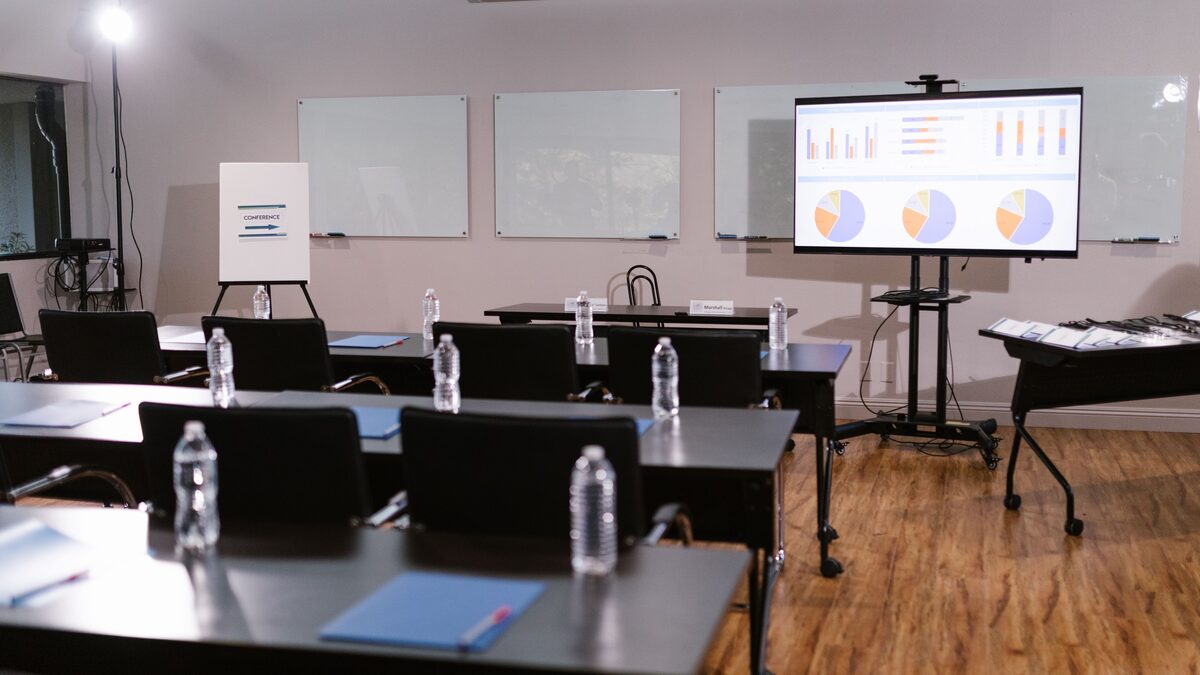
Music sets the room before you say a single word. People are filing in, checking phones, half-listening to the person next to them, and the sound in the air tells them what kind of event this is going to be. Silence says the meeting has not started. Something warm and low says the room is ready and worth settling into. Long before your first slide, the audio is shaping how attentive the audience will be when you finally open your mouth.
Most advice about presentations focuses on the slides and the speaking. Music gets treated as an afterthought, if it is considered at all. That is a missed opportunity, because a presentation has distinct moments, and each one benefits from a different kind of sound. AI tools like Suno make it practical to create custom, on-brand tracks for each of those moments instead of scavenging a stock library. This guide walks through the presentation moment by moment, from the walk-in to the closing, and keeps everything professional and unobtrusive along the way.
Walk-in and pre-show
The walk-in is the stretch before you begin, when the audience is arriving and finding seats. The job of music here is simple: fill the silence, lower the social awkwardness of a quiet room, and signal that something is about to happen without demanding attention yet.
Aim for something low in energy and neutral in mood. Warm pads, a gentle pulse, or soft instrumental beds work well. You want a track that a person can talk over comfortably, because people will still be chatting. Nothing with prominent vocals, nothing dramatic, nothing that makes someone stop mid-sentence to figure out what is playing.
This is also a good place for a longer piece or a loop, since you do not know exactly how long the walk-in will run. Generate a track with a calm, even feel and download it so you can loop it cleanly for as long as you need. If the room fills faster than expected, you fade it down. If it runs long, you have plenty to cover the gap. The pre-show track is the one people consciously notice least and benefit from most.
There is a psychological angle worth naming. A silent room before a talk puts a subtle pressure on everyone in it. People lower their voices, glance at the front, and wonder whether they missed the start. A soft bed of sound relieves that pressure and gives them permission to keep chatting until you are ready. It also masks the small noises that make a room feel tense: shuffling chairs, a cough, the hum of the projector. By the time you step up, the audience is relaxed rather than braced, and a relaxed audience is a more receptive one.
The opening
The opening is the handoff from waiting to watching. The lights settle, you step forward, and the room needs a small cue that the real thing has begun. This is where music can do a genuine lift, as long as it knows when to get out of the way.
A short opening sting or a brief build works well here. Think of it as a curtain rising: a few seconds of something with a bit more energy than the walk-in, resolving cleanly right as you are ready to speak. The key word is brief. The opening music exists to mark a beginning, not to become a performance of its own. If it runs too long, the audience starts waiting for it to end instead of waiting for you.
Match the energy of the opening to the tone of what follows. A results review for a serious quarter wants restraint. A product launch or a team kickoff can carry more brightness and momentum. Generate the opening to fit the occasion, keep it under about ten seconds in most cases, and download it as its own file so you can trigger it precisely when you want the room to turn toward the stage.
Keep your presentation tracks on hand
Made walk-in, opening, and closing tracks with Suno? Download them as clean files so they are ready on the presentation machine, no connection required on the day.
Open the free downloaderUnder the slides, kept subtle
Music underneath the main body of a talk is the trickiest choice on this list, and the honest answer is that most of the time you should keep it very quiet or leave it out entirely. When you are speaking, your voice is the content, and music competes with it. But there are moments in the body of a presentation where a soft bed helps rather than hurts.
The clearest case is a stretch with no speaking: a product demo running on screen, a montage of images, a data reveal that you let breathe for a few seconds. In those gaps, a subtle track keeps the room engaged and stops the silence from feeling like a technical fault. The moment you start talking again, the music should drop well below your voice or fade out.
If you do run something under continuous speaking, treat it like furniture. It should be barely present, low in the mix, simple in arrangement, and free of anything that grabs attention: no sudden swells, no catchy hooks, no vocals. The audience should feel it more than hear it. When in doubt, less is safer, because a talk with slightly too little music still works, while a talk fighting its own soundtrack does not.
Consider the type of session too. A workshop where people are working through exercises can carry a light bed of focus-friendly sound for long stretches, because there are natural pockets of quiet activity rather than continuous speaking. A keynote is the opposite: the words carry everything, so music mostly stays out until the deliberate moments. A pitch sits in between, where a subtle bed under a product walkthrough can add confidence without stealing the room. Read the format before you decide how much music the body of the talk should hold, and generate accordingly.
Transitions between sections
A long presentation has chapters, and the moves between them are where an audience either follows your structure or loses the thread. A short musical cue at a transition is a clean way to say "we are done with that part, here comes the next one." It gives people a small mental reset without you having to spell it out every time.
Transition cues should be brief and consistent. A few seconds of the same recognizable motif, used at each section break, teaches the audience your rhythm. They come to expect it, and that expectation makes the talk feel organized. It is the same principle a television show uses when it cuts to a familiar sting before a new segment.
Keep transitions in the same family as your other tracks so the whole presentation sounds like one piece. If your opening used a particular set of instruments and a certain warmth, let the transition cues echo that. Generate a short, loopable motif, download it, and reuse the same file at every break. Consistency here costs you nothing and makes the presentation feel considered rather than assembled from spare parts.
The closing
The closing is the feeling people carry out of the room, and it deserves as much thought as the opening. After your final point, a well-chosen track underneath your last words and the applause helps the whole event land. It signals completion, gives the moment a little warmth, and covers the slightly awkward beat while people decide whether to clap.
Match the closing to the note you want to leave on. A hopeful, forward-looking talk wants something that rises gently. A sober, serious session wants something calmer and more grounded. If there is a call to action or a final slide, the music can swell just slightly as it appears, then settle as people begin to move.
The closing track can be a touch more expressive than the walk-in, because the talking is done and there is less risk of stepping on your own words. It is often the same family of sound as the opening, brought back to bookend the event, which gives the audience a satisfying sense of return. Generate it, download it, and cue it as you deliver your last line so the room exits on the emotion you intended rather than on silence.
Keeping it professional and unobtrusive
Across every one of these moments, the same rule holds: the music serves the presentation, never the other way around. A few practical habits keep it on the right side of that line.
Watch your levels above all. The single most common mistake is music that is too loud, which turns a helpful bed into a distraction and makes your voice work harder than it should. When speaking is happening, the music sits well underneath. When it is a pure visual or audio moment, it can come forward. Test the levels in the actual room if you can, because a laptop speaker and a conference sound system behave very differently.
Avoid anything that competes for the analytical part of the brain: prominent lyrics, familiar melodies people will try to name, or sudden dynamic changes that pull focus. Instrumental, steady, and understated is almost always the professional choice. Save the drama for the two or three moments that genuinely call for it, the opening and the closing above all.
Have the files ready and local. Streaming from a browser tab during a live presentation invites trouble: a dropped connection, an autoplay ad, a buffering pause at the worst moment. Generate your tracks ahead of time, download them as clean files, and load them onto the presentation machine or into your slide software directly. On the day, you want the music to be one less thing that can fail.
Rehearse the cues, not just the words. A track that starts a beat too late, or a closing swell that never fires because nobody was ready to press play, undoes the effect you planned. Walk through the presentation once with the music in place and note exactly when each file starts and stops. If someone else is running the sound, give them a simple cue sheet: which track, at which moment, and how quickly to fade it. The music should feel like it was always meant to be there, and that only happens when the timing is practiced rather than improvised in front of the audience.
Matching music to the brand
If the presentation represents a company, the music is part of the brand experience, and it should feel like it belongs to that organization rather than to a generic template. This is where making your own tracks pays off over pulling stock, because you can shape the sound to fit an identity.
Start from how the brand already sounds and looks. A calm, trustworthy financial brand wants restraint and warmth. An energetic consumer brand can carry more brightness and rhythm. A design-led company might want something modern and spare. Describe that character when you generate the tracks, keeping the same palette of instruments and mood across the walk-in, transitions, and closing so the whole event feels unified.
Consistency across events matters too. If you use the same family of sounds for every company presentation, town hall, and launch, people begin to associate that sound with the organization, the same way they associate a logo or a color. Over time the audio becomes a quiet part of the brand. Download and keep a small kit of branded tracks, and reuse it, so each presentation reinforces the last instead of starting from scratch.
One honest note on rights, since these tracks may end up in front of customers or in recorded material. Whether you can use a generated track in commercial or public-facing work depends on the plan you made it under and the current terms of the tool. For internal meetings this is rarely a concern, but for a recorded webinar, a conference keynote, or anything a company publishes, check the current terms for your plan before you rely on a track. Confirming it once, up front, saves any awkward questions later and keeps a branded sound kit genuinely safe to reuse across every event.
A simple checklist before the room fills
Pulling it together, here is a short pass to run before any presentation that uses music.
Decide which moments actually need sound. Walk-in, opening, and closing almost always benefit. Transitions help in longer talks. Under continuous speaking, keep it minimal or skip it.
Generate tracks that share a family. One palette of mood and instruments across all the moments makes the event feel like one piece, and on-brand if it represents a company.
Download everything and load it locally. Clean files on the presentation machine beat a live stream every time.
Set your levels for the real room. Music under the voice, forward only in the gaps, tested on the actual sound system where possible.
Keep it unobtrusive. If you are unsure whether a track is too much, it probably is. The best presentation music is the kind the audience feels without ever stopping to notice it.
Do this a few times and it becomes second nature. The music stops being an afterthought and becomes part of how you run a room, setting the tone before you speak, carrying the audience between your points, and sending them out on exactly the feeling you meant to leave. And because you generated and downloaded the tracks yourself, they are ready whenever the next room needs filling.
The larger point is that a presentation is an experience, not just a set of slides, and experiences are shaped by sound whether or not you plan for it. An empty silence shapes the room in one direction; a thoughtful, understated soundtrack shapes it in another. Choosing the second on purpose, with tracks made to fit your moments and your brand, is a small amount of preparation that changes how the whole event feels. Make the sound part of your plan, keep the files close, and let the room settle into exactly the tone you intended from the moment the first person walks in.