Suno Downloader AI
AI music for travel videos: match the sound to the place
Play the same drone shot over a sweeping orchestral swell, then over a lazy lo-fi loop, and you have two completely different films. The footage never changed. The music did. Sound is the fastest way to tell a viewer how to feel about a place before they have read a single word of your caption, and travel footage lives or dies on that feeling. A shaky clip of a market alley can feel electric with the right rhythm behind it, and a technically perfect sunset can fall flat under a track that does not belong.
That is why matching music to the place matters more than picking whatever song is trending this week. AI music tools like Suno make this easier than it has ever been, because you can describe the mood you want in plain language and get a track built for that exact scene. Below is a practical way to think about it, sorted by the kind of place and the kind of shot you are working with. Pick the section that fits your footage, then read to the end for how to keep your travel channel clear of copyright trouble.
Epic landscapes and drone shots
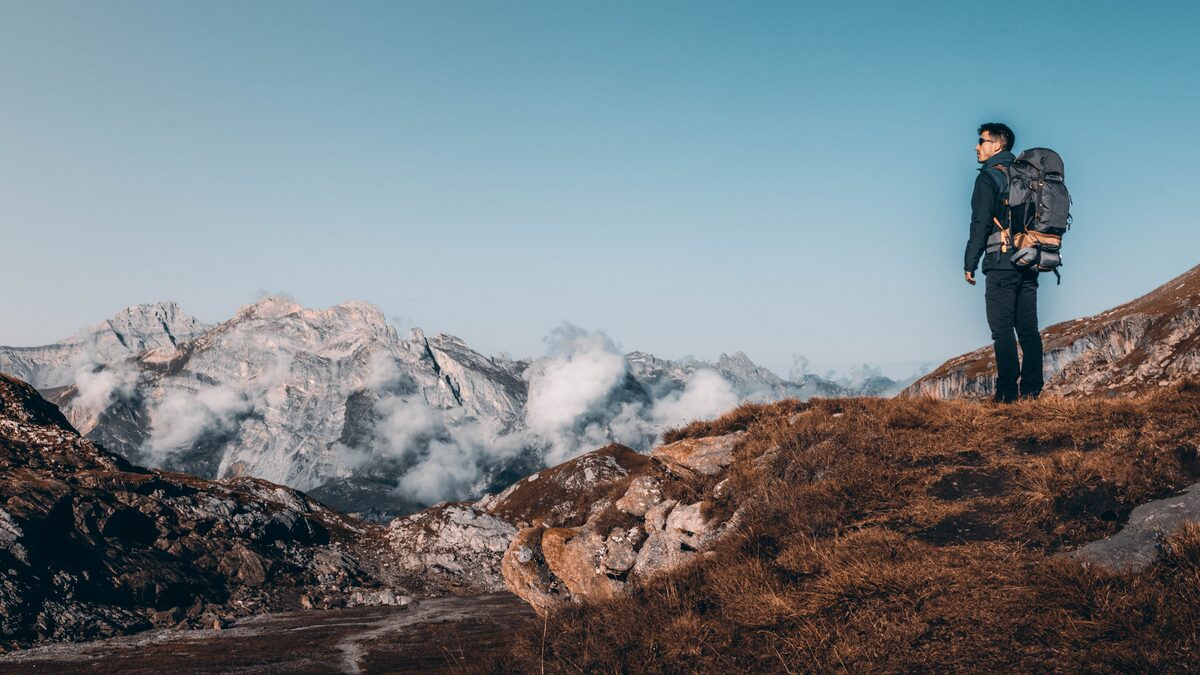
Wide country asks for wide sound. When your camera lifts off a ridge line and reveals a valley, or pushes out over a coastline, the music needs room to breathe and a slow build that pays off as the reveal lands. Think long, sustained chords, a steady rise in the strings or synth pads, and percussion that arrives late rather than pounding from the first second. The goal is a feeling of scale, of something bigger than the traveler standing in the frame.
When you prompt an AI tool for this, describe the arc rather than just the genre. Ask for something that starts sparse and quiet, then grows into a full, warm swell around the thirty second mark, with light cinematic percussion underneath. Mention the emotion you want the viewer to feel, whether that is awe, calm, or a kind of hopeful ache. Words like grand, patient, and open give the model more to work with than a single label like epic.
Tempo is worth thinking about here. Drone shots move slowly, so a track at a slower pace lets the music and the movement rise together. If your footage cuts between several landscapes, a track with clear phrases gives you natural points to switch shots. Generate a couple of versions, download both, and drop them under your rough cut to see which build matches your edit. Often the first thirty seconds is all you need, and you can loop or fade the rest.
Instrumentation shapes the mood of a landscape more than you might expect. Warm strings feel human and emotional, good for a place that means something to the traveler. Airy synth pads feel modern and dreamlike, good for otherworldly terrain like deserts or ice fields. A lone piano feels intimate against something huge, which creates a lovely tension between the small player and the vast view. Name the instruments you want in your prompt and the AI has a clearer target to aim at. If the first result feels too busy, ask for something more sparse, because empty space in the music often reads as majesty on screen.
Bustling cities
City footage is busy by nature. Street crossings, neon signs, trains, food stalls, crowds moving in every direction. The music needs energy to keep pace, but it should not fight the visual noise. A driving beat with a clear pulse works well because it gives the chaos a heartbeat and turns random movement into something that feels choreographed.
Different cities carry different sounds in people's heads, and you can play with that. A track with a warm bassline and jazzy chords suits a European old town at night. Bright electronic textures fit a modern skyline or a subway sequence. Something with hand percussion and a looping groove can carry a market scene in a warmer climate. You do not have to be literal about it, but leaning slightly into the local flavor of a place makes the clip feel grounded rather than generic.
For fast city edits, tempo and rhythm matter more than melody. A strong, steady beat lets you cut on the downbeats, which makes even simple footage feel intentional. When you generate the track, ask for a consistent groove and a clear rhythmic pulse, and mention that you plan to cut to the beat. Once you have a version you like, download it and lay it under your timeline so your editor can snap cuts to the waveform peaks. That single trick, matching your cuts to the music, is what separates a clip that feels professional from one that feels like a slideshow.
Chilled beaches and slow mornings
Not every travel moment is a spectacle. Some of the best footage is quiet: coffee steaming on a balcony, waves rolling in at dawn, a hammock swaying, feet in the sand. These moments ask the music to step back. You want warmth, space, and a gentle groove that never demands attention. This is where lo-fi, soft acoustic guitar, mellow keys, and light downtempo beats belong.
The mistake here is choosing something too active. A bright, busy track over a slow morning scene makes the viewer feel rushed when the whole point was to slow down. Ask your AI tool for something relaxed, unhurried, and warm, with soft textures and a low, easy tempo. Mention that it should feel like a lazy morning or a calm evening, and that it should sit in the background rather than lead. A little bit of tape hiss or vinyl warmth in the description can give the track that cozy, lived-in quality that suits these scenes.
Slow footage also pairs beautifully with music that has no strong structure, because you are not cutting to a beat, you are letting shots linger. A track that stays in one gentle mood for its full length is easier to work with than one that keeps changing. Generate a longer version if the tool allows it, download it, and let it play under a full sequence of quiet clips. The consistency is what sells the calm.
Adventure and action
Hiking a hard trail, mountain biking, surfing, jumping off a rock into the sea. Action footage has its own energy and the music has to keep up. Here you want drive, momentum, and a sense of forward motion. Faster tempos, punchy drums, and rising energy all help. The track should feel like it is pushing the viewer up the mountain with you.
The trick with action is dynamics. Real adventures have moments of effort and moments of payoff, and the music should mirror that. A track that builds toward a big release works perfectly for footage that ends in a summit, a drop, or a splash. When you prompt the tool, ask for an energetic build with a strong climax, and describe the moment your footage pays off so the music can rise to meet it. If your clip has a clear peak, generate the track around that peak.
Genre gives you a lot of range here. Driving rock suits raw, physical adventure. Electronic and drum-heavy tracks fit speed and motion, like biking or a fast descent. Cinematic hybrid scores, where orchestra meets modern drums, work for anything that feels heroic. Try two or three directions, download them, and test each against your fastest sequence. The one that makes your pulse rise slightly when the action hits is the one to keep.
Culture and local flavour
Some of the richest travel content is about people and place: a festival, a cooking class, a temple at dawn, artisans at work, a religious procession. This footage carries meaning, and the music should support that meaning without stepping on it. The aim is to hint at the character of a place with respect, not to reduce it to a stereotype.
Ask your AI tool for instrumentation and moods that suit the region and the moment, and keep the description warm and specific. A track with gentle strings and a reflective mood can carry a quiet cultural scene. Something with a celebratory rhythm fits a festival or a dance. The key word is understated. When footage already has a strong sense of place, the music only needs to color it lightly. Overpowering a cultural moment with a huge score can feel like you are talking over the very thing you came to show.
Be thoughtful here. If you are filming a sacred or solemn moment, let the music be equally gentle, or consider using the natural sound of the place instead and saving the AI track for the surrounding shots. Travel content earns trust when it treats a place with care, and your soundtrack choices are part of that. Generate a soft, respectful option, download it, and place it under the connective footage while letting the strongest cultural moments breathe with their own ambient sound.
Layering natural sound with your music
Music is only half of a travel video's audio. The other half is the sound of the place itself: waves, market chatter, wind, a train pulling in, the sizzle of street food. The best travel clips often use both, letting the natural sound rise up in a few key moments while the music carries the rest. This is worth planning for, because it makes a place feel real in a way music alone cannot.
A simple approach is to keep the music slightly lower during moments where the location's own sound tells the story, then bring it back up for the montage sections. When your traveler steps into a busy bazaar, let the crowd noise breathe for a second or two before the track swells back in. When a wave crashes, let it crash. Because your downloaded AI track is a clean file that you control, you can duck it under these moments easily in any editor. That interplay between a composed track and captured reality is what gives a travel film its texture.
This is another reason generating your own music helps. Since you are not fighting a licensed song's structure, you can trim, fade, and rearrange your track freely to make room for the sounds of the place. Generate a version with a clear intro and outro so you have quiet ends to fade under natural sound, download it, and build your sequence around both layers.
Building a small library for your channel
Once you have made a few tracks that fit your style, save them. Travel creators tend to return to the same handful of moods across many videos: one grand landscape theme, one city groove, one calm beach loop, one action build. If you generate strong versions of each and download them into a folder, you have a small personal library ready for your next trip. That saves you from starting from zero every time and helps your videos feel like they belong to the same channel.
Consistency of sound is an underrated part of building an audience. When viewers hear a familiar musical feel across your videos, your channel starts to have an identity. You do not need a hundred tracks. A tight set of well chosen ones, downloaded and organized, will carry you a long way. If you want to go deeper on shaping that identity, our guide on AI music for vlogs covers matching sound to a channel's personality.
Score your next trip for free
Describe the mood, generate a track that fits the place, and download it ready to drop under your footage.
Open the free downloaderCopyright safety for travel channels
This is where a lot of travel creators get burned. You film a beautiful trip, edit for hours, then get a copyright claim because of the music, and suddenly your video is muted, demonetized, or blocked in half the world. Popular songs are licensed for listening, not for putting behind your travel montage, and platforms are aggressive about catching them. Even many so-called free music libraries come with conditions that trip people up later.
AI music you generate yourself sidesteps most of this. When you create a track with a tool like Suno and download it, you are not borrowing someone else's recording, so there is no third party master to trigger an automated claim. That is exactly what a travel channel needs: audio you can post everywhere without holding your breath. Your own AI audio is copyright-safe in the sense that it is not lifting an existing song, though what you are allowed to do commercially still depends on the plan you generate under and its terms, so check those before you build a business on it.
A few habits keep you safe. Keep the downloaded files organized so you know which track came from where. Read the terms of the tool and plan you used, especially if your channel is monetized or you take sponsorships. And if you ever do use a snippet of a real song for a specific creative reason, know that you are taking on the claim risk yourself. For most travel work, generating your own music and downloading it is the calm path, and it happens to sound better than the tired stock loops everyone else uses. For a deeper look at avoiding strikes on one specific platform, our guide on AI music for YouTube walks through it in detail.
Putting it together
The next time you sit down to edit a trip, do not reach for the music last. Think about the feeling of each sequence first: the awe of the landscape, the rush of the city, the calm of the morning, the push of the climb, the warmth of a local moment. Then describe that feeling to your AI tool, generate a track built for it, and download the version that fits. Cut the visuals to the sound where it makes sense, let quiet footage breathe, and keep a small library of your favorites for the next trip.
Music is not decoration on a travel video. It is the emotional narrator. When you match the sound to the place with the same care you brought to filming it, ordinary footage starts to feel like a film, and that is what keeps people watching to the end and coming back for the next journey.