Suno Downloader AI
AI vaporwave generator: make slowed 80s mall music
Picture a shopping mall in 1987 that never quite existed. The fountain still runs, the fake palm trees are lit from below, and a soft jazz tune drifts out of a store that closed decades ago. Now slow that tune down until it wobbles, wash it in reverb, and let the tape flutter. That warm, slightly broken feeling is vaporwave, and an ai vaporwave generator lets you build it without hunting through crates of old records.
This style is as much a mood as it is a genre. It runs on nostalgia for a version of the past that was always a little plastic, always a little sad under the shine. In this guide we will look at what the sound actually is, how the slowed and chopped trick works, the substyles worth knowing, what people use these tracks for, and how to describe all of it in a prompt so a tool like Suno gives you something usable.
What vaporwave actually is
Vaporwave started online in the early 2010s as a kind of art project wearing the clothes of a music genre. Early producers took smooth jazz, 80s pop, corporate lounge music, and shopping channel jingles, then slowed them down and looped them into something dreamy and strange. The result sounded like a memory of consumer culture playing back at half speed. It was ironic and sincere at the same time, which is a big part of why it stuck.
The aesthetic came bundled with the sound from day one. Think Roman busts, early Windows desktops, Japanese text, sunset gradients, dolphins, and grainy VHS footage. It borrowed the visual language of old malls, late night infomercials, and the first messy years of the internet. The music and the imagery feed each other, so when you make a track you are usually making it for a look as much as for the ears.
Under the irony there is real feeling. A lot of vaporwave is about lost time and places that are gone. The slowed music sounds like it is remembering something. That mix of comfort and melancholy is why people put it on to relax, to focus, or just to sit in a certain mood for a while.
It also helps to know that vaporwave was never really about being good in a traditional sense. It was about mood, atmosphere, and a wink at consumer culture. The producers were not trying to write hits. They were trying to make you feel a specific way about the past, technology, and the promises the shiny 80s never kept. That freedom from the rules of pop is part of why the style is so welcoming to newcomers. There is no wrong way to make something dreamy and strange.
Because the genre grew up on the internet, it also spread through image boards, video sites, and file sharing rather than radio. That home shaped it. Tracks were often album length experiences meant to be played start to finish while you looked at the art, not three minute singles built for a playlist. When you make your own, you can honor that by thinking about the whole vibe, not just a catchy hook.
The slowed-down, chopped sound
The core trick is simple to describe and surprisingly powerful. You take a bright, upbeat source and drag its tempo down. As the speed drops, the pitch drops with it, so voices go deep and syrupy and the whole thing sinks into a warm haze. Chords that felt cheerful at full speed suddenly feel wistful. This one move does most of the emotional work.
On top of that, producers add a stack of textures. Heavy reverb makes everything sound like it is playing in a large empty room. Tape flutter and wow give a wobble, as if the recording was left in a hot car. A gentle low pass filter rolls off the high end so the sound feels muffled and distant, like music heard through a wall. Little glitches, skips, and stutters break the loop so it never feels too clean.
Chopping matters too. Instead of letting a phrase play straight through, you cut it into pieces and repeat certain bars, freeze on a single chord, or loop a two second snippet until it becomes hypnotic. This is how a short idea becomes a four minute track. When you ask a generator for this style, you are really asking for slow tempo, big reverb, tape warmth, and looped, hazy phrasing all at once.
You do not need to master any of this by hand. A good prompt carries the instructions, and once you have a track you like you can save the audio by downloading it and keeping the file for your video or playlist. The point is to understand the ingredients so your descriptions land.
Substyles: classic vaporwave, mallsoft, future funk
Vaporwave split into flavors almost as soon as it appeared. Knowing a few of them helps you aim your prompt instead of asking for the whole blurry genre at once.
Classic vaporwave is the original template. Slowed smooth jazz and 80s pop, deep reverb, a slow and slightly seasick groove, and a heavy dose of nostalgia. It is moody, a bit ironic, and unhurried. This is the sound most people picture when they hear the word.
Mallsoft takes the mall idea and pushes it all the way. The music sounds like it is playing over the speakers of a giant empty shopping center, distant and echoey, with the crowd and the escalators just out of frame. Melodies are simple and blurry. It is the most ambient corner of the genre, made for background listening and for that specific ache of an abandoned public space.
Future funk goes the other direction and turns the energy up. It samples French house and 70s and 80s disco and city pop, keeps the tempo lively, and adds a punchy beat you can actually dance to. It is bright, filtered, and fun, often paired with anime clips. If classic vaporwave is a slow walk through an empty mall, future funk is the same mall at its busy peak with the lights spinning.
There are more corners, like the harsher glitch heavy styles and the softer ambient ones, but these three give you a solid map. Pick the one that matches your mood before you write a single word of prompt.
A quick way to choose between them is to ask what you want the listener to do. If you want them to drift and daydream, go classic or mallsoft. If you want them to nod along or feel a spark of energy, go future funk. The substyle is really a decision about pace and feeling, and naming it up front keeps your prompt from wandering. You can always make one of each later and compare, since they are cousins that share the same slowed, nostalgic bloodline.
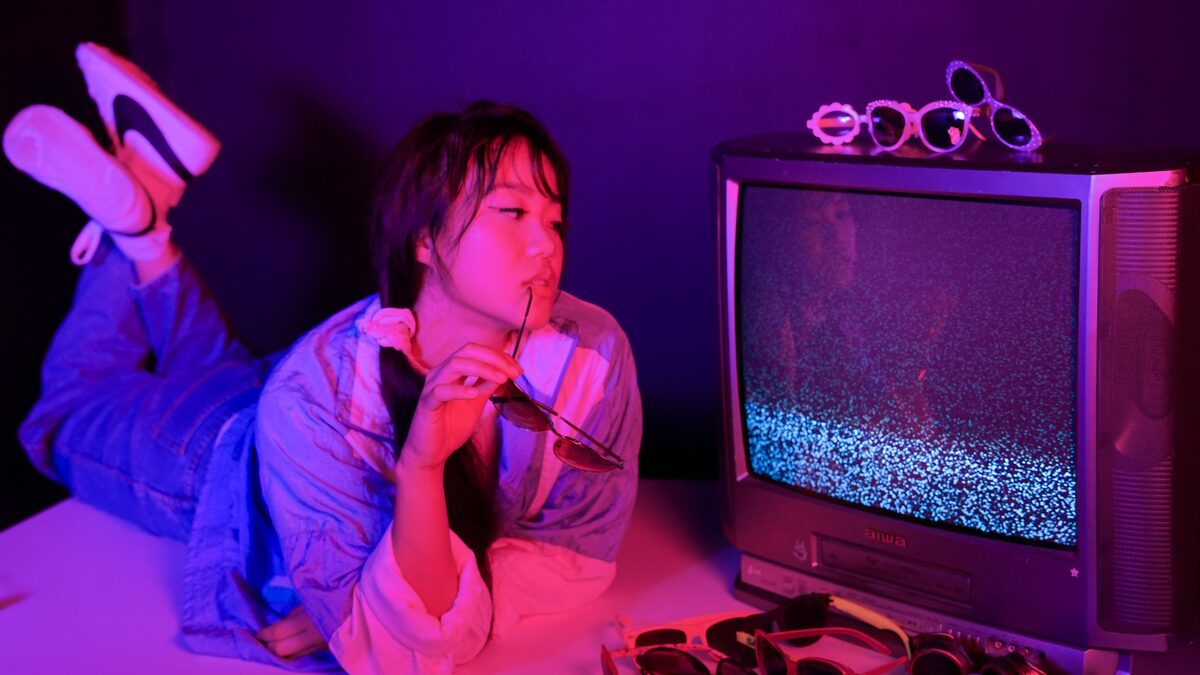
It is worth spending a minute on the visuals, because in vaporwave the look and the sound are almost the same thing. The classic imagery leans on marble statues, palm trees, checkerboard floors, pink and teal gradients, old computer windows, and Japanese characters borrowed for their shape more than their meaning. There is a lot of grainy VHS texture, scan lines, and the soft glow of a CRT screen. When you build a track, it helps to picture the image it would sit behind. If you can see the empty mall or the sunset over a fake city, your prompt will come out sharper because you know the feeling you are chasing.
That link between eye and ear is also why the genre travels so well onto video platforms. A single looping image with the right slowed track can hold attention for minutes. The music tells you how to feel about the picture, and the picture tells you what the music remembers. Keep that pairing in mind and every track you make gets a job to do.
What to use it for: aesthetic videos, streams, study
Once you can make this sound on demand, uses show up fast. The most common one is aesthetic video. Slowed retro music sits perfectly under grainy footage, sunset loops, old commercials, and slideshow style edits. If you make short videos or reels with a retro look, a custom track means you are not fighting copyright strikes over someone else's upload.
Streamers lean on it too. Vaporwave and its cousins make ideal background music for a starting soon screen, a chatting segment, or a relaxed art stream. It sets a chilled tone without pulling focus, and having your own tracks keeps your recordings clean for later reuse. You make a small set, save them by downloading each one, and drop them into your rotation.
Study and focus playlists are another natural fit. The slow tempo and soft haze give your brain something warm to sit inside without lyrics grabbing your attention. Mallsoft in particular is close to ambient, so it works for reading, writing, or winding down at night. Plenty of people also just make a personal playlist of tracks that hit the right nostalgic nerve and leave it running while they cook or clean.
Small creative projects round it out. Game jams, art zines, personal websites, and vaporwave themed birthday or party visuals all benefit from a custom score. Because you control the prompt, you can match the music to the exact mood of the thing you are building.
Making it with prompts
Here is where the fun starts. A generator like Suno responds to plain language, so you describe the style, mood, tempo, and textures, and it builds a track. The trick is to name the ingredients we covered rather than just typing the genre and hoping.
Start with a simple frame. Name the substyle, give a tempo feel, list two or three textures, and set a mood. For example: "classic vaporwave, slow tempo, slowed 80s pop feel, heavy reverb, tape warmth, dreamy and nostalgic." That single line already carries most of what you need. From there you can push in any direction.
If you want it dreamier, add words like hazy, distant, muffled, and underwater. If you want the future funk energy, add upbeat, filtered disco, punchy beat, and danceable. If you want the empty mall feeling, add words like spacious, echoey, ambient, and lonely. You can also mention instruments, so a "slow sax lead" or "warm electric piano" will steer the melody.
The table below gives you a starting prompt for each style. Treat these as seeds, run a couple of versions, and keep the take that feels right. When one lands, save it by downloading the file so you always have the original.
| Style you want | Prompt to try |
|---|---|
| Classic vaporwave | slowed 80s smooth jazz, very slow tempo, heavy reverb, tape flutter, dreamy and nostalgic, hazy mood |
| Mallsoft | ambient mallsoft, distant echoey melody like empty shopping mall speakers, muffled, spacious, lonely and calm |
| Future funk | upbeat future funk, filtered disco and city pop samples, punchy danceable beat, bright and fun, sunny mood |
| Glitchy vaporwave | glitchy vaporwave, chopped and stuttered loops, slowed pop sample, tape wobble, warm reverb, broken VHS feel |
| Study haze | slow ambient vaporwave, soft warm pads, no vocals, gentle low pass filter, sleepy and hazy, background focus music |
It also pays to think in small batches. Rather than chasing one perfect track, make three or four short ones around a single mood and treat them as a set. Run the classic prompt, then the mallsoft one, then the glitchy one, and you suddenly have a little collection that flows together. Save each keeper by downloading it, name the files clearly, and you have a personal library you can pull from whenever a video or stream needs a bed of sound. Building a set is often more satisfying than sweating over a single song, and it matches how the genre was always meant to be heard.
When a track is close but a little off, resist the urge to rewrite the whole prompt. Instead, adjust one lever. If it feels too busy, add words like minimal and sparse. If it feels too clean, add tape hiss and vinyl crackle. If the melody is too cheerful for the mood you want, ask for a minor key or a melancholy feel. Learning what each small change does is the fastest way to get good at this, and it keeps the process playful rather than frustrating. A handful of runs is normal, so treat the misses as part of the fun.
A few habits make the whole process smoother. Keep your prompts short and concrete, since a pile of adjectives can confuse the tool more than it helps. Change one thing at a time when a version is close but not right, so you learn what each word does. And do not be afraid of the ironic, tacky corners of the aesthetic, because a little cheesy 80s sax or a fake corporate jingle is often exactly what makes a vaporwave track feel real.
Ready to make your own slowed retro sound?
Describe the mood, pick a substyle, and let the generator build the track. Then keep the file for your videos, streams, or late night playlists.
Open the free downloaderOne more thing worth saying is that the borrowed, sampled feeling of old vaporwave came with real questions about using other people's recordings. Making your own material with a generator sidesteps a lot of that, because the track is built for you rather than lifted from a record. You get the slowed, hazy, nostalgic sound without pulling audio you do not have the right to use. That is a quiet but real advantage when your goal is to post videos, run a stream, or share a playlist without worrying about takedowns.
Vaporwave rewards curiosity more than technical skill. You are chasing a feeling, not a formula, and the tools let you try a dozen versions of that feeling in an afternoon. Start with one of the prompts above, lean into the slow and hazy parts, and let the music remember a mall that never was. Once you have a few tracks you love, download them, build a little collection, and use them wherever that warm plastic nostalgia belongs.