Suno Downloader AI
Best AI rap generator: how to pick one that actually spits
Rap is a hard genre for a machine to fake. A pop hook can hide behind a big chorus, but a rap verse leaves the vocal naked at the front of the mix, and any listener can tell within a bar or two whether the flow lands. That is why searching for the best AI rap generator is not the same as searching for the best AI music tool in general. Rap has its own checklist, and a tool that writes a lovely acoustic ballad can still fall apart the moment you ask it for hard drums and a fast, on-beat delivery.
This guide walks through what a rap generator actually needs to get right, how the main kinds of AI music tools handle those needs, and how to pick one based on what you are trying to make. No single tool wins for everyone, so the goal here is to match the tool to the job rather than crown a champion.
What a rap generator actually needs to nail
Before comparing tools, it helps to name the things that separate a convincing AI rap from a track that sounds like a robot reading a grocery list. There are four that matter most, and they tend to rise or fall together.
The first is a hard beat. Rap lives on rhythm, and the instrumental has to hit with real weight in the low end. That means a kick and snare that punch, hi-hats that carry the tempo, and a bassline that sits under the vocal without swallowing it. A thin, polite beat drains the energy out of even a good verse. When you test a tool, listen on a decent speaker or headphones, because phone speakers hide the low end where a rap beat either works or does not.
The second is a believable flow. Flow is the way the words ride the beat, where syllables land, where the rapper pauses, and how the rhythm of speech locks to the rhythm of the drums. This is the single hardest thing for AI to fake. Many tools can produce clear sung vocals but stumble on rap because the phrasing drifts off the grid or sits too evenly, with every line landing in the same predictable spot. Good flow has swing and variation.
The third is clear vocals. Because the vocal sits up front, any artifacts show. Listen for smeared consonants, a watery or robotic tone on fast lines, and words that blur together when the pace picks up. A tool might handle a slow, spoken-word cadence cleanly and then fall apart on a rapid double-time section.
The fourth is control over lyrics. Rap is a writing genre first. If a tool only takes a short style prompt and invents its own words, you lose the part that makes rap personal. The better setups let you paste your own lyrics and keep them intact, so the machine handles delivery and beat while you keep authorship of the words.
The two main kinds of tools, and how each handles rap
Almost every option falls into one of two camps. Knowing which camp a tool belongs to tells you most of what you need before you even try it.
Full-song generators that rap for you
The first camp is the all-in-one generator. You give it a prompt or a set of lyrics plus a style, and it returns a finished track with a beat and rapped vocals already performed. This is the fastest path from idea to a complete song, and it is where most of the recent progress has happened. For someone who cannot rap, cannot produce, or just wants a demo in minutes, this is the obvious starting point.
The strength is speed and completeness. In one pass you get an arrangement, a beat, and a vocal that at least tries to ride it. The weakness is control at the fine level. When the flow is slightly off, you often cannot nudge a single line; you regenerate and hope the next take is better. Quality also swings from genre to genre. A tool might handle a laid-back, melodic rap style well and then struggle with aggressive, technical delivery, or the other way around. If you go this route, plan to generate several takes and pick the best rather than expecting the first result to be the keeper.
One more thing to watch with full-song tools is how they treat your written lyrics. Some respect a pasted verse closely. Others treat your text as a loose suggestion and rewrite or trim it to fit. If your words matter to you, test a tool with a verse you know well and see how much survives.
Beat-only tools you rap over yourself
The second camp does not sing at all. These tools generate instrumentals, so you get a beat and then record your own voice on top. If you can actually rap, this is often the better path, because the one thing AI struggles with most, the flow, comes from you.
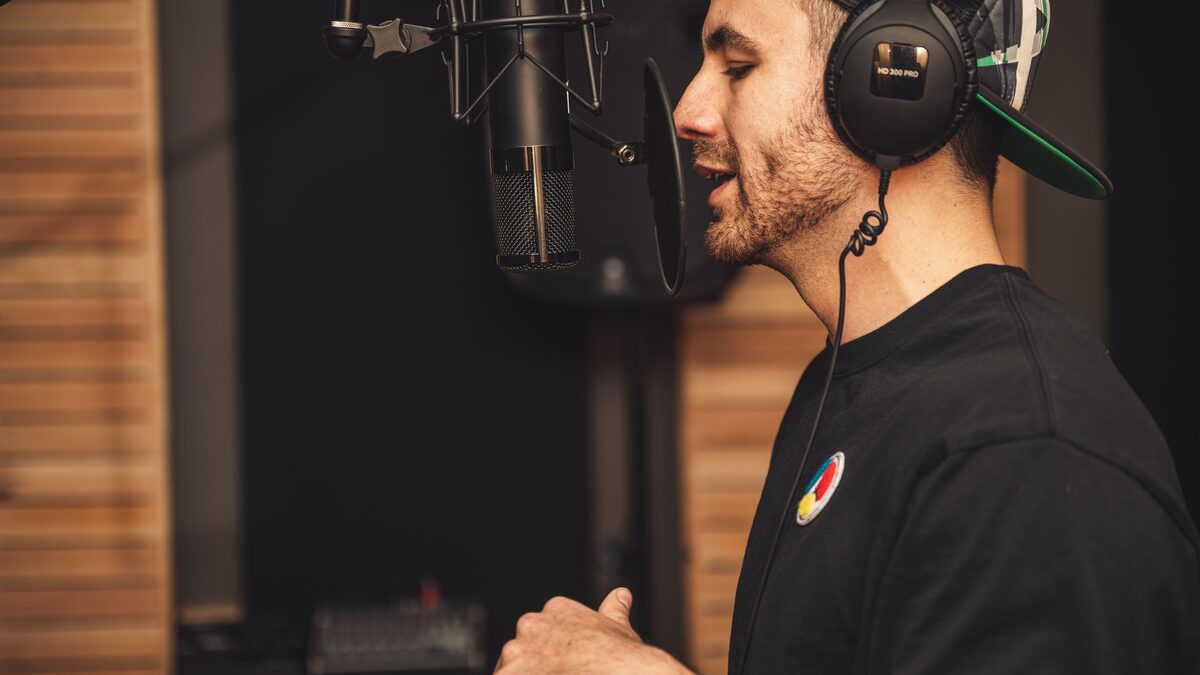
The trade is effort. You need a microphone, a quiet room, and some comfort recording and mixing, or a willingness to learn. But the ceiling is much higher. A human voice over an AI beat can sound like a real record, while a fully generated rap still tends to carry a faint synthetic edge in the vocal. Beat-only tools also give you cleaner ownership of the performance, since the voice is genuinely yours.
There is a middle path too. Some producers generate a beat with one tool, write and record their own verses, and then use the full-song generators only for a sung hook. Mixing sources like this takes more work but often gets closer to what you actually hear in your head.
Turn your generated rap into a file you can keep
Once a track sounds right, you still need it saved cleanly for editing, sharing, or mastering. Our free tool grabs your Suno songs as clean audio so you can take them anywhere.
Open the free downloaderTips for getting a rap that does not sound fake
Whichever camp you choose, the difference between an embarrassing result and a usable one usually comes down to how you feed the tool. A few habits help across the board.
Write for rhythm, not just rhyme. AI delivery follows the natural stress of your words, so lines with a clear internal beat tend to land better than clever lines that are hard to say out loud. Read your verse aloud before you generate. If you stumble on it, the tool probably will too.
Be specific about style. A prompt like "rap" gives the tool nothing to grip. Name a tempo feel, a mood, and an era or subgenre. Words like "boom bap, mid tempo, gritty" or "trap, fast hats, dark" steer the beat far better than a bare genre label. You are not naming an artist to copy; you are describing the texture you want.
Keep verses short when you test. Generate eight or sixteen bars rather than a whole song while you are still dialing in the sound. Short takes are faster to judge and cheaper on your time, and once the feel is right you can build the full track around a section you trust.
Match the beat to the voice, not the other way around. If a vocal take has a good flow but a weak beat, it is usually easier to swap the instrumental than to fix the delivery. Flow is the rare part; a beat you can always replace.
Generate more than you think you need. The best AI rap results tend to come from picking one strong take out of five, not from getting lucky on the first. Budget your patience for a handful of tries per section.
How to choose by what you want
Instead of one winner, here is a simple framework. Find the row that sounds like you and start there.
If you want a finished rap song fast and cannot rap or produce, start with a full-song generator. Accept that you will trade fine control for speed, lean on multiple takes, and pick tools that let you paste your own lyrics so the words stay yours. This is the right call for demos, quick content, and testing an idea before you commit real effort.
If you can rap and want it to sound real, use a beat-only tool and record your own voice. Your flow will beat anything generated, and the finished record will carry a human quality the all-in-one tools still miss. Invest in a basic mic and learn a little mixing, because a great verse recorded badly still sounds bad.
If you produce but do not rap, flip it. Generate or write the vocal elsewhere, or collaborate with someone who rhymes, and use AI mainly for ideas, hooks, or a scratch reference while you build the beat by hand.
If you are making background or content music where the rap is not the star, the bar drops a lot. A full-song generator is plenty, because a listener scrolling past a video is not studying the flow the way a rap fan would. Here, speed and volume matter more than perfection.
If you care most about owning the result, favor tools and workflows where the voice is genuinely yours, and read the rights terms closely. Whatever a tool promises about commercial use can shift, so check current terms before you build anything you plan to release or monetize.
How to test a tool before you commit
Because quality swings so much between genres and even between takes, the smartest move is a short, deliberate test before you pour hours into any tool. A few minutes of structured trying tells you more than any review, including this one.
Start with a verse you already know sounds good when you say it out loud. Using familiar lyrics removes one variable, so you are judging the tool's delivery and beat rather than wondering whether your writing was the problem. Feed the same verse to whatever tools you are comparing and listen back to back. The differences in flow and vocal clarity jump out immediately when the words are identical.
Next, push each tool toward the hardest thing you will actually ask of it. If your style is fast, test a fast section, because a tool that shines on a slow hook can still collapse on double-time. If you rely on wordplay, listen for whether the delivery lands the emphasis or flattens it. Testing the easy case tells you nothing useful; testing the hard case tells you everything.
Then check the practical side. How many takes did it take to get one you would keep? How much did the tool respect your written lyrics? Could you export the result in a format you can work with afterward? A tool that produces one great take out of twenty is a different proposition from one that lands a keeper every third try, and only real testing surfaces that ratio.
Finally, note how the result holds up away from the tool's own player. Download a take and listen in your usual editor or on your usual speakers. Web players sometimes flatter the audio, and a track that felt punchy in the browser can sound thin once it is a file on your own system. What matters is how it sounds where you will actually use it.
Common mistakes that sink an AI rap
Plenty of disappointing results come not from the tool but from how it was used. A handful of avoidable mistakes account for most of the tracks that make people give up on AI rap too early.
The first is judging a tool on a single take. Because output varies so much run to run, one bad result proves almost nothing. Generate a handful before you form an opinion, and compare the best of each tool rather than the first of each.
The second is vague prompting. A bare genre label leaves the tool guessing, and guesses tend toward the generic. Describing tempo, mood, and texture in plain words gives the model something to grip, and the beats come back with far more character.
The third is asking one tool to do everything. The producers who get the best results often split the work, generating a beat one way, handling vocals another, and assembling the pieces themselves. Expecting a single click to deliver a finished, polished rap song sets the bar where the tools are weakest.
The fourth is ignoring the mix. Even a strong generated track benefits from basic balancing so the vocal sits clearly over the beat. A great flow buried under a loud instrumental sounds worse than an average flow mixed with a little care.
A few honest limits to keep in mind
It is worth being clear about where AI rap still falls short, because the marketing rarely is. Fast, technical delivery remains the weak spot. Slow and melodic styles generate more convincingly than rapid double-time or intricate multisyllabic runs, so if your style is dense and quick, expect more rejected takes. Punchlines and wordplay also lose impact when the delivery is flat, since a great line depends on timing and emphasis that a model does not always understand.
Consistency across a full song is another gap. A tool might nail a verse and then flatten the hook, or shift the vocal tone between sections in a way that breaks the illusion. Building a song from strong pieces, rather than accepting a whole generated track as is, tends to give better results.
Pricing and features move quickly in this space, so treat any specific claim you read, including in this article, as a snapshot. Free tiers, export quality, and the exact rights you get all change, and they differ between the full-song and beat-only tools. Check current plans and terms on any tool before you decide, especially if money or release plans ride on it.
The best AI rap generator, in the end, is the one that fits the gap in your own workflow. If your weakness is production, let AI make the beat and keep the mic. If your weakness is the voice, let a full-song tool sing while you write. Name what you are missing, pick the camp that fills it, and spend your effort on the part only you can do.