Suno Downloader AI
Loudly review: royalty-free AI music for creators
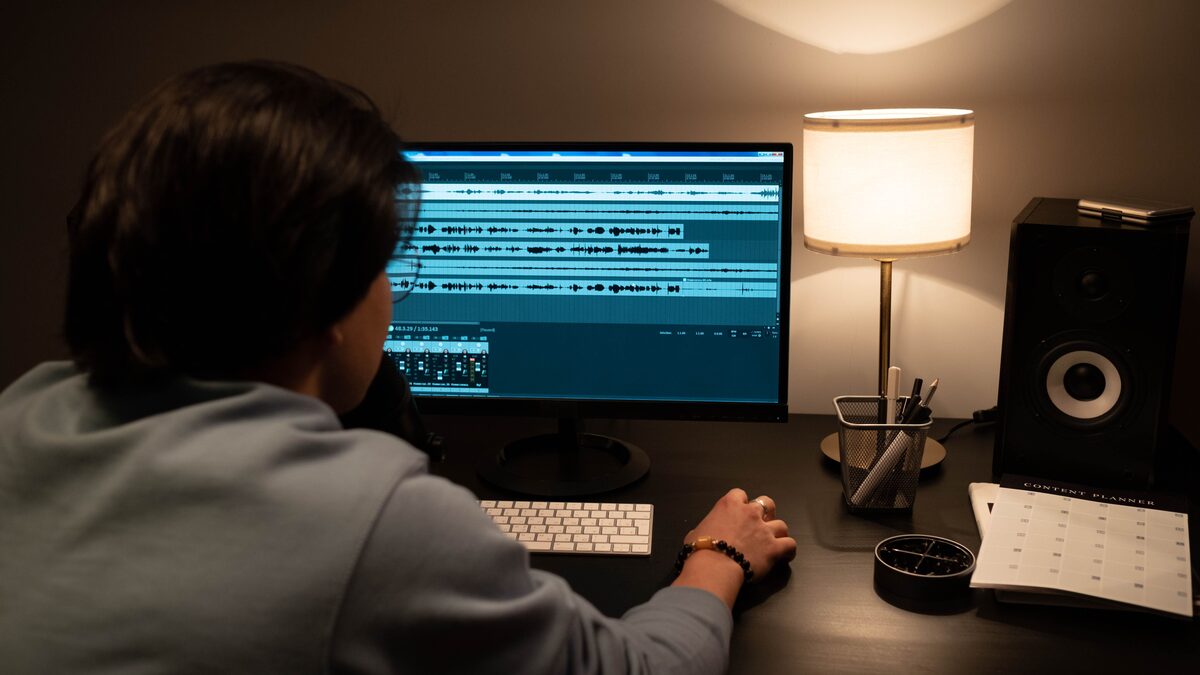
Ask around about AI music for videos and Loudly comes up quickly. It has built its name on royalty-free tracks made for creators, the kind of background music that sits under a video, a game, or a podcast without demanding attention. That focus is the key to understanding it. Loudly is not trying to be a pop star in a box. It is trying to be the reliable source of music you can drop into a project and use without a licensing headache.
This review looks at what Loudly is, how it works, who it fits, and where it falls short. The AI music space changes fast, so treat the specifics here as a general picture and check current features, pricing, and terms on Loudly directly before you decide. What follows is meant to be balanced, not a sales pitch and not a takedown, so you can tell quickly whether it matches your needs.
What Loudly is
Loudly is an AI music generator aimed at creators who need royalty-free music for their content. Its core promise is straightforward. You generate a track, customize it to fit your project, and use it without worrying about copyright claims, because the music is made for that purpose. That royalty-free angle is the heart of the product and the reason most people try it.
The focus is squarely on background and functional music. Think of the tracks you barely notice consciously but that shape how a video feels, the bed under a product demo, the loop behind a game menu, the mood music under a travel montage. Loudly is built to supply that kind of music on demand, by genre and style, rather than to produce full vocal songs with a singer out front. Knowing that scope up front tells you most of what you need to decide whether it fits your work.
It generally comes with an app and subscription based access, so it is positioned as an ongoing tool for people who make content regularly rather than a one time purchase. The exact plans and limits shift over time, so check the current options, but the model is the familiar one of a creator tool you subscribe to and use across many projects.
How it works
The basic flow is designed to be quick. You choose the kind of music you want, usually by picking a genre and a style, and the tool generates a track to match. From there you can customize the result to fit your project, adjusting elements so the music lines up with the length and mood you need. The idea is to go from a blank timeline to a usable track in a few steps, without needing to know music theory or own any instruments.
Because the emphasis is on background music, the customization tends to serve practical goals, getting the track to the right length, the right energy, and the right feel for a scene. This is different from a full song generator, where the main event is a vocal performance of specific lyrics. With Loudly, the main event is a fitting instrumental bed you can shape to your edit. If you have used royalty-free music libraries before, the mental model is similar, except the music is generated and customizable rather than picked off a fixed shelf.
Getting the finished audio into your project is the last step, and for a background music tool that hand off matters. You want a clean file you can drop into your video or game editor. As always, check the current export options and formats on the tool itself, since these details change and they affect how smoothly the music fits into the rest of your workflow.
Who it is for
Loudly makes the most sense for a specific kind of user, and it helps to be honest about who that is. If you are a video creator, a streamer, a game developer, a podcaster, or a marketer who needs music that will not trigger copyright claims, you are close to the center of its target audience. The royalty-free promise is most valuable exactly when you are publishing to platforms that scan for copyrighted audio, and Loudly is built to keep you clear of that trouble.
It also suits people who value speed and simplicity over deep musical control. If you do not want to learn a digital audio workstation, do not want to hunt through stock libraries, and just need a fitting track quickly, a generator like this removes a lot of friction. The trade is that you get functional, on brief background music rather than a bespoke composition, and for most content that trade is exactly right.
Who is it not for? If your goal is a complete song with vocals, lyrics, and a lead performance, this is not the tool for that job, and no amount of customization will change its nature. Songwriters and artists chasing a finished vocal track should look at full song generators built around singing instead. Loudly is a background music engine, and judging it as a songwriting tool would be judging it against something it never set out to be.
The pros
Taken on its own terms, Loudly has clear strengths.
Royalty-free by design. The biggest draw is peace of mind. Music made specifically for creator use means you can publish without the constant worry of a copyright claim on the audio. For anyone who has had a video flagged or muted over a music track, that alone is a strong reason to look at a tool like this. Always read the current license terms so you know exactly what your subscription covers, but the whole product is oriented around keeping you clear.
Fast and approachable. Picking a genre and style and getting a track back is quick, and it does not demand any musical training. For creators whose real job is the video or the game, not the music, that speed is valuable. The music becomes one less bottleneck in the pipeline.
Customization to fit the project. Rather than taking a fixed track and forcing your edit around it, you can shape the generated music toward the length and feel you need. That flexibility is a meaningful step up from picking a static file off a library shelf, because the music can bend to the content instead of the other way around.
Built for a real, common need. Background music for content is one of the most frequent creative needs there is, and Loudly is squarely aimed at it. A tool that does one clear job well is often more useful than a jack of all trades, and Loudly knows exactly what it is for.
The cons
No tool is right for everyone, and Loudly has real limits worth naming plainly.
Oriented to instrumental, not full vocal songs. This is the main one. If you want a song with a singer performing your lyrics, this is not built for that. The focus on background and functional music means vocals are not the point, so anyone hoping to produce a vocal track should look elsewhere. It is not a shortcoming so much as a boundary of what the tool is for, but it is the boundary most likely to disappoint someone who arrives with the wrong expectation.
Subscription commitment. Access generally runs on a subscription, which suits regular creators but is less appealing if you only need music once in a while. If your use is occasional, weigh whether an ongoing plan makes sense for you, and check the current pricing tiers and what each one actually includes before committing.
Functional rather than distinctive. Background music is meant to blend in, and that is by design, but it also means the output is more useful than memorable. If you are looking for a signature track that stands on its own as a piece of music people will seek out, a background music generator is aimed at a different target. It fills a role rather than making a statement.
Details that shift over time. As with every tool in this space, features, limits, and terms change. Something true today may be different in a few months, so anything specific you read, here or anywhere, is worth verifying on the tool itself before you rely on it. Treat the shape of the product as stable and the fine print as a moving target.
Getting the most out of a background music tool
If you decide a tool like Loudly fits your work, a few habits get you better results and save time. The first is to generate music with the final edit in mind rather than in isolation. Background music serves the picture, so think about the scene it will sit under before you pick a genre and style. Music that sounds fine on its own can fight against a video if the energy does not match the visuals, so let the content lead and choose the track to support it.
The second habit is to plan for length early. Background beds often need to match a specific run time, and it is easier to shape a track toward that length while you generate than to hack a finished file to fit afterward. Know roughly how long the scene runs and aim the music at that from the start.
The third is to keep your levels in check once the music is in your project. Background music is meant to sit under other sound, especially voice, so it should rarely play at full volume when narration is present. A track that overpowers the speech defeats the purpose of a bed. Pull the music down under dialogue and bring it back up in the gaps, and the whole piece breathes better.
The fourth is to give endings the same care you would give any track. A background piece that stops abruptly under a video draws attention to itself at the worst moment. A short fade out as the scene closes keeps the music in its supporting role right to the end. Small touches like this are what separate content that feels polished from content that feels thrown together.
How it compares in the wider picture
It helps to place Loudly against the broader split in AI music tools. On one side sit the full song generators built to sing lyrics and produce complete vocal tracks. On the other sit the instrumental and background music tools built for functional music under content. Loudly lives firmly on the background music side, and comparing it to a vocal song generator is comparing two tools built for different jobs.
That framing is the most useful thing to carry away. If your need is a song, the whole background music category, Loudly included, is the wrong shelf. If your need is music under a video that will not get you a copyright strike, then Loudly is competing in exactly the right category, and the question becomes how it stacks up against other background music generators on quality, customization, price, and licensing. Judge it against its true peers, not against a different kind of tool.
If you do end up using a full song generator for other projects, remember that getting a clean audio file out is its own small task. Our downloader on the home page saves a tidy copy of a Suno track so you can edit and share it, which is handy when you are mixing generated songs and background beds across different pieces of content.
Working with generated songs too?
If you also make full tracks with a vocal generator, grab a clean copy to edit and share. Download your Suno song in one click.
Open the free downloaderThinking about value, honestly
Whether a subscription tool is worth it comes down to how often you actually use it. Background music is a recurring need for regular creators, and if you publish videos or episodes on a steady schedule, an ongoing plan can pay for itself many times over compared to buying tracks one at a time or risking copyright claims with music you are not cleared to use. The value is in the volume and the peace of mind, not in any single track.
If your output is occasional, the math changes. Paying every month for music you touch a few times a year is hard to justify, and you might be better served by a pay as you go option or a free resource for those rare projects. Be honest with yourself about your real pace before you commit to a recurring cost, and check the current tiers to see whether a lighter plan matches how you actually work.
It also helps to weigh the time you save. For many creators the real cost of music is not the fee but the hours spent searching for the right track and checking whether it is safe to use. A generator that removes that hunt has value that does not show up in the price alone, and that saved time is often the strongest argument for a tool like this.
The verdict
Loudly is a focused, honest tool that does one thing and aims to do it well, supplying royalty-free background music that creators can generate, customize, and use without copyright worry. For video makers, streamers, game developers, podcasters, and marketers who need fitting music fast and safely, it lands in the right category and solves a real, common problem. The royalty-free promise, the speed, and the ability to shape a track to a project are genuine strengths.
The limits are just as clear. This is a background music engine, not a vocal song generator, so anyone chasing a finished song with a singer should look at a different kind of tool entirely. It runs on a subscription, which fits frequent creators better than occasional ones, and its output is designed to blend in rather than stand out. None of that is a flaw so much as a description of what it is built to be.
The fair summary is simple. If you need reliable, claim-free background music and you value speed over deep control, Loudly is worth a look, and you should test it on a real project to see if the output meets your bar. If you need vocals and full songs, this is not your tool, and knowing that saves you time. Either way, check the current features, pricing, and license terms on Loudly directly before you decide, because in AI music the details keep moving even when the overall shape holds steady.