Suno Downloader AI
Soundful review: royalty-free AI background music, examined
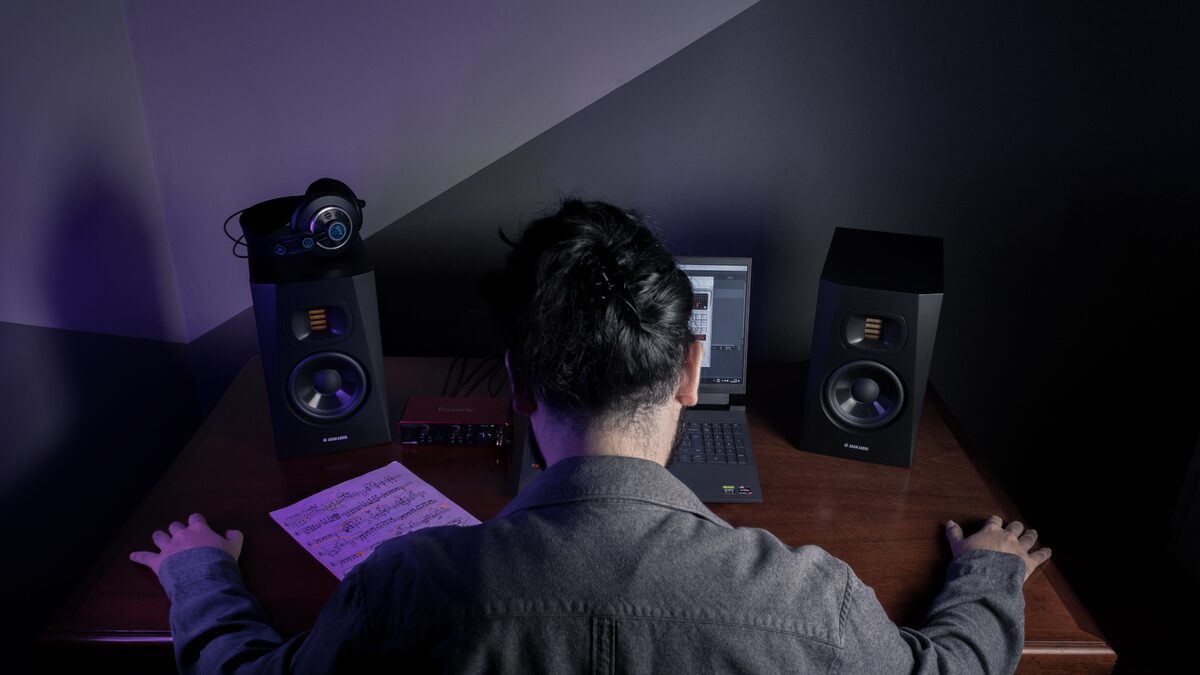
Soundful has built its reputation on a fairly specific promise: royalty-free background music that creators can generate quickly without worrying about copyright claims. If you make videos, run a stream, produce podcasts, or turn out social content, you already know the particular headache it aims to solve. You have a finished edit, it needs music underneath, and the last thing you want is a track that triggers a claim or forces you to strip your audio weeks later. That problem is the reason a whole category of tools exists, and Soundful is one of the names that comes up most often when creators go looking for a fix.
This review looks at what Soundful actually is, how its approach works, who it genuinely suits, and where it falls short. The aim is balance rather than hype. Specific details like exact pricing, tier limits, and feature lists change often, so treat the specifics here as general and check current information on the official source before you commit. What follows is a fair picture of the shape of the tool and the kind of creator it serves well, so you can decide whether it belongs in your workflow.
What Soundful is
At its core, Soundful is an AI music generator aimed squarely at creators who need royalty-free background tracks. That framing matters, because it is not trying to be everything. It is not positioned as a tool for writing full vocal songs, and it is not chasing the "describe a song and get a radio single" use case that some other generators lead with. Its focus is instrumental background music, the kind that sits under a video, fills the space in a stream, or gives a podcast intro some energy without competing with a voice.
The royalty-free angle is central to the pitch. For a working creator, the value is not just that the music sounds fine, it is that using it does not create legal or platform problems down the line. The whole reason a creator reaches for a tool like this instead of pulling a popular song is to avoid claims, takedowns, and demonetized uploads. Soundful positions itself as a clean source of music you can use with confidence, and for many creators that peace of mind is the entire point. As always, the exact terms of what you can and cannot do with the output depend on your plan and the current licensing, so read those terms rather than assuming.
How it works
Soundful's approach is built around templates rather than a blank prompt box. Instead of describing a song from scratch in free text, you typically start from a template or style that defines a genre and general feel, and then you customize from there. You choose a direction, adjust the parameters the tool exposes, and generate tracks that fit that mold.
This template-first design is a deliberate trade, and understanding it is the key to understanding the tool. On one hand, templates make the experience approachable and fast. You are not staring at an empty field wondering how to describe what you want. You pick a lane, tweak a few settings, and get usable results quickly, which is exactly what a busy creator wants when music is the last item on a long editing checklist. On the other hand, templates set boundaries. You work within the styles and structures the tool provides, and you are shaping something within those lines rather than inventing freely from a plain description.
Once you have generated a track you like, the practical goal is to get a clean file you can drop into your editing timeline. That handoff, from generated track to a file sitting in your project, is the whole reason a creator opens a tool like this, and a smooth path from generation to a usable download is a big part of whether the tool feels worth it in daily use.
Working with AI-made tracks?
Whatever tool you generate in, you will want a clean, ready-to-use file for your edits and uploads. Grab one in a couple of clicks.
Open the free downloaderWho it is for
Soundful makes the most sense for a specific kind of user, and it helps to be honest about who that is. The clearest fit is the content creator who needs reliable background music and does not want the process to become a project of its own. Think of a video maker who publishes regularly and needs fresh, claim-free music for each upload. Think of a streamer who wants ambient tracks running without risking a muted recording later. Think of a podcaster who needs intros, outros, and transition beds. For these people, the template approach is a feature, not a limitation, because it removes decisions and gets them to a usable track fast.
It also suits creators who value predictability. Because you are working from defined styles, you have a reasonable sense of what you are going to get, which matters when you are producing content on a schedule and cannot afford to gamble an hour on whether a generation will land. The trade of creative freedom for reliability is one that many working creators happily make, because their real deadline is the upload, not artistic exploration.
It is a weaker fit for anyone whose main goal is a full song with vocals, lyrics, and the structure of a finished piece of music. If you want to make a track that stands on its own as a song rather than sitting under something else, this is not the tool built for that job, and you would be fighting its design. It is also less suited to a producer who wants deep, granular control over every element, since the template model is about staying within provided lanes rather than shaping everything by hand.
The pros
Start with the strengths, because there are real ones. The most obvious is that Soundful is built for exactly one job and does not pretend otherwise. That focus on royalty-free background music means the whole experience is shaped around getting a creator a usable, claim-free track, and a tool that knows its purpose tends to serve that purpose well.
The template approach is a genuine advantage for its target user. It lowers the barrier to entry, speeds up the process, and removes the intimidation of a blank prompt. For a creator who is not a musician and does not want to become one, being able to pick a style and get a fitting track quickly is exactly right. Speed and approachability are not small things when music is a recurring chore rather than the main event.
The royalty-free positioning is a strong practical benefit. The value of avoiding copyright claims and demonetization is hard to overstate for anyone whose content is tied to their income or their audience. A dependable source of music you can use without that anxiety is worth real money to a working creator, and that is precisely the reassurance the tool is designed to provide.
There is also value in the predictability that comes with a template system. Knowing roughly what you will get before you generate it suits a production workflow, where surprises are usually the bad kind. For creators who need to move fast and cannot afford a long trial-and-error loop on every project, that consistency is a feature worth having.
The cons
An honest review has to sit with the limitations too, and they follow directly from the design choices. The template-based model, which is a strength for its audience, is also a ceiling. Because you work within provided styles and structures, your creative range is bounded by what the tool offers. If you want to make something that does not fit an existing template, or you want to push a track in an unusual direction, you will feel the walls. Creators who crave open-ended freedom may find the approach constraining.
The instrumental focus is the other major limitation, and it is a real one depending on what you need. This is not a full vocal-song generator. If your goal is a complete song with sung lyrics, Soundful is not built for that, and no amount of tweaking will turn a background-music tool into a songwriting one. For background use this focus is entirely appropriate, but it does mean the tool only fits one part of the wider AI music picture, and you should be clear about which part you actually need.
As with most tools in this space, access is organized around subscription options, so the practical value depends on how your usage lines up with the tiers and what each level includes. Whether it is worth the cost comes down to how often you need music and how much the plan you would choose provides, which is exactly the kind of detail that changes over time. Check the current pricing and what each tier actually allows before deciding, rather than relying on any figure you read secondhand, including here.
One more honest note: the output is designed to sit in the background and support other content, which is its purpose, but it also sets expectations. This is music built to underpin a video or a stream, not necessarily to grab the spotlight on its own. That is the right design for the job, but if you were hoping for standout tracks that carry attention by themselves, adjust your expectations to match what a background-music tool is for.
How it fits a real workflow
It helps to picture the tool inside an actual production day rather than in the abstract, because that is where its value either shows up or does not. Imagine you have edited a video and the picture is locked. Music is the final layer, the thing standing between you and publishing. This is the moment a background-music tool earns its place. You want to open something, pick a mood that matches the edit, generate a track that fits the length and energy of your footage, and get it into your timeline without breaking your flow. A template-driven tool suits that moment well, because the last thing you want at the end of a long edit is a blank prompt and a case of decision fatigue.
Contrast that with a creator who wants the music to be the centerpiece rather than the support. If the song itself is the content, the calculus flips entirely, and a background-music tool will feel thin no matter how convenient it is. The lesson is that Soundful's value is tightly bound to the role music plays in your work. When music is the backdrop, its focus is a gift. When music is the star, its focus becomes a wall. Being clear-eyed about which of those describes your projects is the single most useful thing you can do before deciding.
It is also worth thinking about volume. A creator publishing several pieces a week has different needs from someone making the occasional video, and the math of a subscription looks very different across those two. Heavy, regular use is where a dedicated background-music tool tends to pay for itself, because the time saved on each project compounds. Occasional use is where you have to weigh whether a recurring cost makes sense against how often you would actually reach for it. Only your own publishing rhythm can answer that, so map it honestly against whatever the current plans offer.
One practical tip regardless of how often you publish: build a small library as you go. When you generate a track that fits a mood you use often, keep a clean copy filed somewhere sensible so you can reach for it again on a future project. Reusing your own past generations, where the licensing allows it, stretches the value of the tool considerably and saves you from starting cold on every edit. A little organization early turns a per-project chore into a growing shelf of music you can pull from on demand.
The verdict
Soundful is a focused tool that does a specific job, and it should be judged on that job rather than on what it never set out to do. As a source of royalty-free background music for creators, it hits the marks that matter: it is approachable thanks to the template model, it is oriented around avoiding copyright headaches, and it is built for the practical rhythm of people who need music under their content on a regular basis. For a video maker, streamer, or podcaster who wants dependable, claim-free tracks without turning music into a second job, it is a reasonable fit and worth trying.
The caveats are equally clear. If you want full vocal songs, deep hands-on control, or wide creative freedom, this is not the tool for you, and you would be better served by something built for those goals. The template approach and instrumental focus that make it good for background music are the same qualities that make it a poor match for songwriting or experimental production. Knowing which side of that line you fall on tells you almost everything about whether Soundful belongs in your kit.
As with every tool in this fast-moving space, the details shift, so check the current pricing, licensing terms, and feature set on the official source before committing, and if you can, try it on a real project of your own before you build a workflow around it. If you want to see how it stacks up against other options, our comparison of the main AI music generators lays the field out side by side, and if your main concern is keeping your uploads clean, the guide on using AI music for video without copyright strikes covers the practical side of staying claim-free. Weigh Soundful for what it is: a purpose-built background-music tool that serves its intended creator well and makes no apology for the boundaries that come with that focus.