Suno Downloader AI
Udio vs Soundraw: two AI music tools that are not really rivals
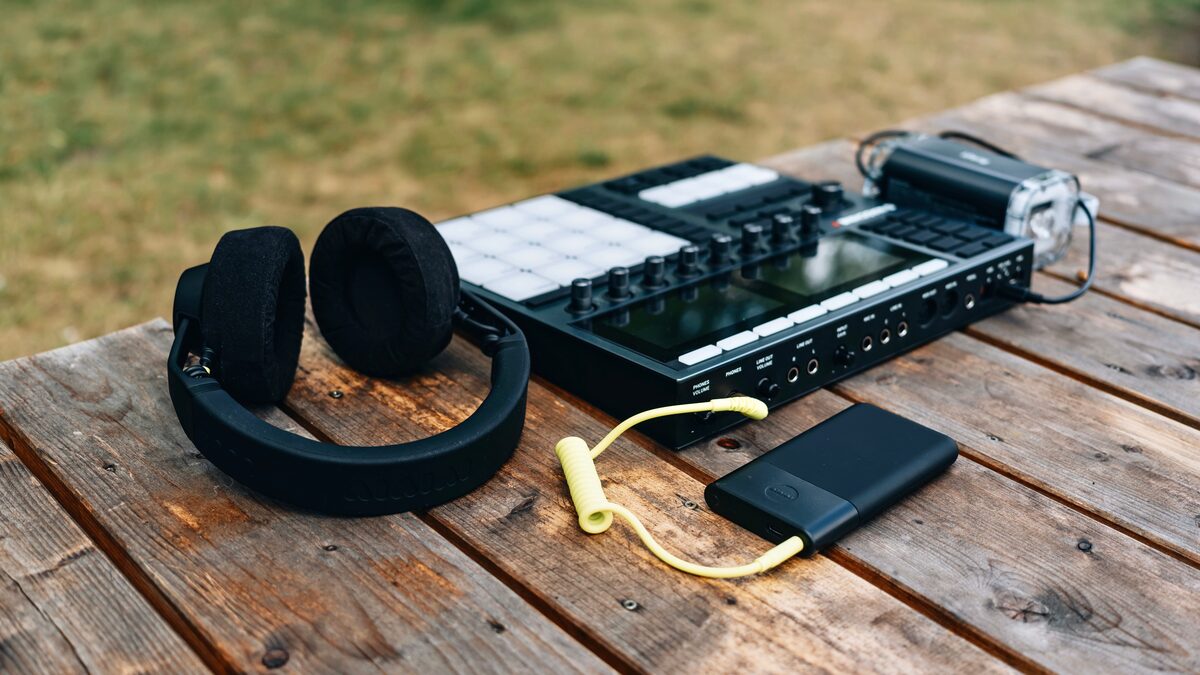
What are you actually trying to make? That one question does more to settle the choice between Udio and Soundraw than any feature comparison, because these two tools keep getting lined up against each other when they are barely in the same category. People type "Udio vs Soundraw" expecting a winner and a loser, the way you might compare two phones. But comparing these two is closer to comparing a recording studio with a stock-music library. Both involve music. They do almost opposite things with it.
So this is not a fight, and I am not going to pretend one tool beats the other. Instead, let us walk through the real questions a person weighing these two is actually asking, and by the end you will know which one belongs in your project, possibly both, for different tasks.
What each one is actually for
Udio is a tool for making vocal songs. You give it a text prompt, and it generates a track with singing, structure, and a produced feel, and it built its reputation on audio quality, on tracks that sound clean and polished rather than muddy or obviously synthetic. When people praise Udio, the praise is usually about how good the output sounds. It is aimed at the moment you want a song to exist, a real one, with a voice carrying it.
Soundraw is a tool for making instrumental background music you can customize. There are no vocals. Instead you get an editor that lets you shape mood, genre, structure, and energy, plus the ability to export stems and use the results royalty-free under a subscription. It is aimed at the moment you need music to sit under a video, a podcast, or a brand piece without pulling focus, and you want to control exactly how it behaves.
Notice that these descriptions barely overlap. One makes the foreground. The other makes the background. One is about a finished song. The other is about controllable underscore. That is the whole reason "which is better" is the wrong question. Better at what?
One honest note before we go further: at the time of writing, Udio's downloads were paused during a licensing transition, which is exactly the kind of detail you should verify for yourself before you rely on getting a file out. Check the current state of the tool rather than assuming, because a music generator you cannot download from is a very different proposition than one you can.
It also helps to say plainly why these two keep getting compared at all, since the categories are so different. Part of it is timing: they arrived in the same wave of AI music tools and get swept into the same listicles and the same search queries. Part of it is that both promise to replace something a creator used to pay a human for, Udio standing in for a singer and a producer, Soundraw standing in for a stock-music subscription or a library composer. From a distance, "AI that makes music so I do not have to hire anyone" looks like a single category. Up close, the thing each one replaces is completely different, and that is the distinction this whole article is trying to make visible. Once you see that Udio is competing with recording a song and Soundraw is competing with licensing a track, the idea that they are rivals falls apart.
Do you need vocals or not
This is the fork in the road, and it resolves most of the decision instantly. If your project needs a human voice singing words, Soundraw is out. It does not make vocal music, full stop. No lyric input, no singer, no way to edit a vocal line into existence. That is not a shortcoming, it is simply not what the tool is for. So if you want a song with a chorus someone could sing along to, you are looking at Udio, not Soundraw.
If your project needs music with no vocals, something that lives behind narration or picture without competing with it, the logic reverses. A vocal track would actively get in the way of a voiceover, and Soundraw's instrumental-only output is a feature rather than a limit. You would not want Udio's singer fighting your presenter for the listener's attention.
Here is a quick way to decide. If a real person will be talking or singing over the top of this music in the final piece, you almost certainly want instrumental, which points to Soundraw. If the music itself is the thing people are meant to listen to, and you want a voice in it, that points to Udio. The vocals question alone sorts a huge share of real projects into the right lane.
There is a middle case worth naming, because a few projects genuinely want both a vocal moment and a long stretch of background. Think of a short film that needs an original theme song over the credits and also needs quiet underscore during the dialogue scenes. That is not one job, it is two, and the honest answer is that you might use Udio for the credits song and Soundraw for the underscore, rather than forcing either tool to do the part it was not built for. Trying to make Soundraw sing, or trying to bend a Udio song into unobtrusive background that ducks politely under speech, usually produces something worse than using each tool for its own half. Recognizing that a project has two music jobs instead of one is often the real insight, and it dissolves the comparison entirely, because now you are not choosing between them, you are assigning each to the part it does best.
How much control do you want
The two tools also disagree about how much you should be steering. Udio's control is mostly through your prompt. You describe what you want, you regenerate, you refine the description, and you chase the take that sounds right. It is a fast, expressive way to work, and when the output quality is high, you often do not need much more. But you are guiding a generator, not operating a detailed editor. You cannot easily reach in and move one section.
Soundraw is the opposite temperament. It gives you an editor built for adjustment: change the energy across the track, alter instruments, reshape the structure, decide where the music rises and falls, and pull stems out to mix in your own software. If you are the kind of creator who wants the intro to build and the bridge to drop back and the ending to land on a specific frame, that hands-on control is the point of using it. It treats generated music as raw material you finish yourself.
Neither approach is superior in the abstract. Prompt-driven generation is quicker and better when you want a good result fast and trust the tool's taste. An editor with stems is better when you need precision and have a specific vision to hit. Ask yourself honestly whether you want to describe and accept, or shape and control, because the two tools sit at opposite ends of that spectrum.
The control question also interacts with the vocals question in a way that is easy to miss. When a song has a lead vocal, a huge amount of the emotional work is done by the voice, the phrasing, the words, so you often need less fine control over the backing, because the singing carries the piece. That is part of why a prompt-driven tool like Udio can feel sufficient: get the vocal and the overall vibe right and the track lands. Instrumental background music has no voice to lean on, so every bit of interest and every emotional shift has to come from the arrangement itself, which is precisely why a customization editor matters more there. In other words, the reason Soundraw invests so heavily in control is connected to the reason it has no vocals, and the reason Udio can get away with lighter control is connected to the fact that it does. The two design choices are not random, they follow from what each tool is trying to be.
To make the split concrete, here are the short strengths of each.
Udio tends to be strong when you want:
- A finished vocal song generated from a text prompt
- Clean, polished audio quality as the priority
- Speed over granular manual editing
- A track that stands on its own as the main event
Soundraw tends to be strong when you want:
- Instrumental background music with no vocals
- An editor to shape mood, structure, and energy
- Stems you can export and mix yourself
- Royalty-free tracks for video, podcast, and brand work
What it costs to walk away with a file
The money question is really two questions: what do you pay, and what do you actually get to keep. Start with keeping, because it is where these two differ most sharply right now.
Soundraw runs on a subscription and does not offer a permanent free download. You can trial and preview it to understand the output, but to keep and use a track you need an active plan, and the music is presented as royalty-free for subscribers. Your right to use what you made is tied to maintaining the subscription, so factor that ongoing cost against how often you actually need new background music. For someone using it constantly, the volume makes it worthwhile. For a one-off, the subscription can feel like a lot.
Udio is where you have to be especially careful at the time of writing, because its downloads were paused during a licensing transition. If you cannot export a file, then the question of price is almost secondary, since the thing you want, a usable audio file to walk away with, may not be available in the way you expect. This is genuinely a moving situation, so do not take any description, including this one, as current. Check the tool's present state and its present terms before you plan a project around it.
For both tools, I am deliberately not quoting exact prices, because they change and inventing numbers would only mislead you. Check current pricing on each, and pay just as much attention to the license and the download situation as to the monthly figure, because a low price means nothing if you cannot legally or practically get your track out.
The deeper point is that "what it costs to walk away with a file" is not really a price question, it is a certainty question. With Soundraw the uncertainty is ongoing: the music is yours to use while you subscribe, so the real cost is the commitment to keep paying if you want to keep using what you made, and you should read the license tier that matches personal versus commercial use so you know exactly what you are entitled to. With Udio the uncertainty at the time of writing is more basic, since a licensing transition had paused downloads, which means the very ability to export was in flux. Those are different kinds of risk. One is a predictable recurring bill, the other is a "can I even get my file today" question. Both are manageable, but only if you check the current reality before you build a deadline around either tool, rather than trusting a description that may already be out of date by the time you read it.
Get a clean file when downloads are open
When your track is ready to export, the last step should be painless. Our free downloader turns your finished music into a proper MP3 or WAV without the runaround.
Open the free downloaderWhich one fits your project
Before the final answer, it is worth walking through a few concrete project types, because seeing the sorting happen makes the logic stick. A creator making a lyric video for an original song wants Udio, because the song with its vocal is the entire point. A tutorial channel that needs calm music under a screen recording wants Soundraw, because the voice explaining the steps must stay on top and the music must stay out of the way. A podcaster who wants a short vocal theme to open every episode leans Udio for that specific stinger, but might reach for Soundraw for the instrumental beds between segments. A small brand producing a product ad usually wants Soundraw, since the music sits behind the narration and needs to be safely royalty-free, unless the ad is built around an original jingle with sung words, in which case Udio re-enters the picture. Notice that in almost every case the deciding factor is the same single question about vocals and foreground, and the tools sort themselves the moment you answer it honestly for that particular piece.
Bring it back to the question we opened with: what are you actually trying to make? If the answer is a song, something with a voice and a hook that a listener plays for its own sake, Udio is the tool built for that, and its reputation for audio quality is the reason to consider it, with the strong caveat that you should confirm its download situation before you commit, because a licensing transition had paused exports at the time of writing. If the answer is background music, an instrumental bed you shape to fit a video or a podcast and keep royalty-free under a subscription, Soundraw is built for that, and its editor and stems are the reason it stands out.
And sometimes the honest answer is both, for different tasks. A creator might use Udio to make a themed vocal song for one project and Soundraw to produce the underscore for their video work, and never feel any tension between the two, because they were never solving the same problem. That is the clarifying idea worth leaving with. Stop asking which tool wins. Ask which problem you have, the foreground song or the background bed, the quick polished take or the precisely edited underscore. Name the problem, and the tool names itself. Then, whichever you pick, verify the current pricing, the current license, and in Udio's case the current download status, because those details, not the marketing, decide whether the tool can actually finish your project.