Suno Downloader AI
How to upload AI music to Spotify
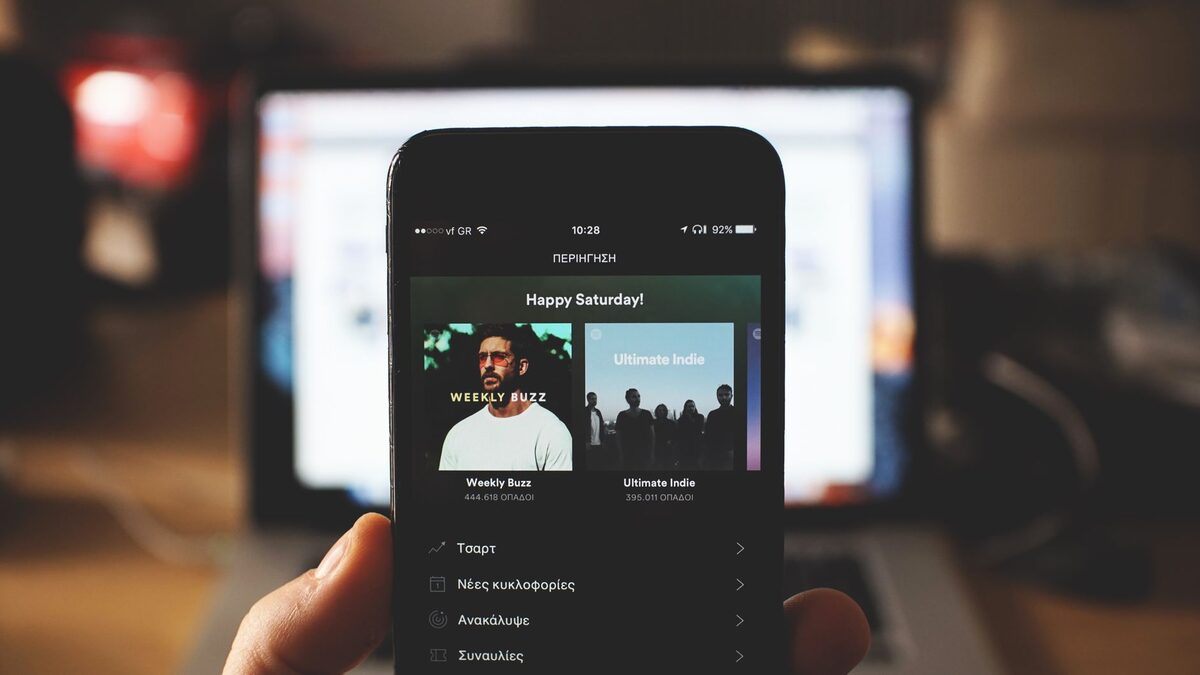
You made a song on Suno, and now you want it on Spotify next to everything else you listen to. It is possible, and plenty of people do it, but there are a few steps and rules that catch newcomers out. This guide shows how to upload AI music to Spotify the right way: what you need, which distributor to use, how to prepare the file, and the platform rules that decide whether your track stays up.
Can you put AI music on Spotify
Yes, with conditions. Spotify allows AI generated music as long as you hold the rights to it and the track does not impersonate a real artist. So a song you made on Suno is fine to release, provided you are on a plan that grants commercial rights and you are not passing the song off as someone else's voice. The catch that trips people up is not the AI part. It is that Spotify does not accept music directly from you at all, which is where a distributor comes in.
What you need before you upload
Getting the pieces ready first makes the rest quick.
- A Suno paid plan, since commercial rights to your track come with Pro or Premier, not the free tier.
- The song as a high quality WAV, which distributors ask for as the source file.
- Cover art at 3000 by 3000 pixels, with no logos, URLs, or social handles on it.
- Basic metadata: the track title, your artist name, and any credits.
With those in hand, the upload itself is mostly filling in a form and waiting.
Spotify does not take direct uploads
This is the part most people do not expect. Unlike YouTube, Spotify has no button for an individual to upload a song. Instead you go through a distributor, a service that delivers your track to Spotify, Apple Music, and dozens of other platforms at once, and collects your streaming royalties. You upload the file to the distributor, fill in the details, and it handles the delivery. This is how every independent release reaches Spotify, AI made or not.
Choosing a distributor
Several distributors accept AI music, and the main difference is how they charge. The table gives a quick sense of the popular ones.
| Distributor | Cost model | AI music | Notes |
|---|---|---|---|
| DistroKid | flat annual fee, unlimited releases | Allowed | Popular with AI creators, fast delivery |
| TuneCore | annual per release or a plan | Allowed | Established, wide reach |
| CD Baby | one time fee per release | Allowed | No yearly renewal |
| Amuse | free tier plus paid plans | Allowed | Has a no cost option |
Many AI creators use DistroKid because the flat fee suits releasing a lot of tracks, and it allows AI generated music as long as you are not impersonating a real artist. If you only plan a single release, a one time option like CD Baby can work out cheaper. Read the current terms on whichever you pick, since policies and prices change.
Prepare the audio file
Distributors want a lossless source, so a WAV is the file to send, not an MP3. Download the WAV of your track rather than a compressed copy, because sending a low bitrate MP3 means the platform compresses an already compressed file and the result sounds worse. Our guide on the highest quality audio from Suno covers getting the WAV and a light mastering pass. Aim for a 16 bit, 44.1 kHz WAV, which is what most distributors expect, and give it a gentle master toward a loudness of around minus 14 LUFS so it sits level with other releases.
Cover art and metadata
The artwork and details matter more than they seem, since a rejected cover holds up the whole release. Make the art a square 3000 by 3000 pixel image with no web addresses, no social handles, and nothing that looks like an ad. For metadata, pick an artist name and use it consistently across releases, since that name is how Spotify groups your catalogue and how listeners find you. Fill in genuine credits, and let the distributor generate an ISRC code, which is the standard identifier that tracks your song across platforms.
Step by step: get your Suno song on Spotify
Put together, the process looks like this.
- Confirm you are on a paid Suno plan for commercial rights.
- Download the track as a WAV and master it lightly.
- Create your 3000 by 3000 cover art.
- Sign up with a distributor such as DistroKid.
- Upload the WAV, add the title, artist name, and credits, and pick a release date.
- Submit, then wait for the distributor to deliver it to Spotify.
- Once it is live, claim the profile in Spotify for Artists.
Spotify's rules on AI music
The platform's position is straightforward, and staying inside it keeps your track up. AI generated music is allowed when you own the rights and are not deceiving anyone, so releasing your own Suno song is fine. What is not allowed is music that impersonates a real artist's voice without consent, or spam uploads designed to game the system. Spotify has been clear that deliberately passing off an AI voice as a specific human artist breaks its rules, so keep your releases honest and they will stay online.
What happens after it goes live
Getting the song up is the start rather than the finish. Once it is on Spotify, request access in Spotify for Artists, which lets you see your streams, edit your profile, and pitch upcoming tracks to the editorial playlist team. Real growth comes from sharing the track yourself, landing on user made playlists, and releasing consistently rather than a single upload. Treat the first song as the moment your catalogue starts, and the tools to build on it are all in Spotify for Artists.
How long it takes and what it costs
Timing and cost vary by distributor, so plan a little ahead. Delivery usually takes anywhere from a day to about two weeks, so if you want a specific release date, upload well before it. Cost depends on the model: a flat annual fee, a one time charge per release, or a free tier with limits. On top of that, the Suno paid plan is the other cost, since it is what grants the commercial rights in the first place. None of it is expensive, but it is worth knowing before you start rather than at the checkout.
Uploading to Apple Music, TikTok, and the rest
The upload to Spotify is not a separate job from the other platforms. When you deliver a track through a distributor, you usually select every service you want in one step, so the same file lands on Apple Music, YouTube Music, Amazon Music, TikTok, Instagram, and more without extra uploads. This is one of the main reasons to use a distributor rather than chasing each platform, since they all take music through the same delivery pipeline. Tick the boxes for the platforms you want, and your Suno track goes everywhere at once from a single submission.
Royalties, splits, and who gets paid
Know where the money flows before you release. Most distributors let you keep all of your streaming royalties and charge a flat or per release fee instead of a cut, though some take a percentage, so check the model on the one you choose. If you made the track with a collaborator, set up the split inside the distributor so each person is paid their share automatically rather than sorting it out by hand. Getting the splits right at upload avoids awkward conversations later, especially once a track starts earning.
How much can you earn
It is worth setting expectations honestly. Streaming pays a small fraction of a cent per play, so per stream royalties are roughly a third to half a cent, and it takes a lot of plays to add up. A track needs real listening, from playlists and an audience, before it earns much, and a single upload with no promotion rarely does. That is not a reason to skip it, since a catalogue builds over time and every release is a chance to be found, but treat early numbers as small and focus on growing an audience rather than on the first payout.
Getting your first streams
A song on Spotify does nothing on its own, so the work shifts to being heard. Share the track link everywhere you have an audience, from social posts to a group chat, since your own network is the first source of plays. Pitch upcoming releases to Spotify's editorial team through Spotify for Artists at least a week before release, and submit to independent playlist curators in your genre. Release regularly rather than once, because a steady stream of tracks gives the algorithm and listeners more chances to pick you up. Consistency does more than any single upload.
Claim and build your artist profile
Claiming your profile in Spotify for Artists turns a single upload into a home for your music. It lets you add a photo and bio, see where your listeners are, and pitch future releases. A complete profile looks more credible to a listener who clicks through, and it is where the data lives that tells you what is working. Set it up as soon as your first track appears, so everything you release after that builds on the same profile rather than scattering across half finished pages.
Should you label the track as AI
Transparency is becoming the norm, and it is the safer path. Some platforms and distributors have started asking creators to disclose AI involvement, and the trend is toward more labelling rather than less. Being upfront that a track is AI assisted costs you little and keeps you on the right side of shifting rules, while hiding it risks a takedown if policies tighten. It also sets honest expectations with listeners. Check the disclosure options your distributor offers, and when in doubt, say the track uses AI rather than pretend it does not.
Release a single or an album
How you package your releases affects how they perform. A single, one track at a time, is the standard approach for building momentum, because each release is a fresh chance at a playlist and a reason to post. An album or EP suits a body of work you want to present together, but it asks a listener for more attention at once. For most people starting out with AI tracks, a run of singles on a regular schedule works better than saving everything for one large drop, since it keeps you visible and gives each song its own moment.
Timing your release date
Set the release date a couple of weeks out rather than as soon as possible. That gap gives the distributor time to deliver, lets you pitch the track to playlists before it is live, and gives you room to line up your own posts for the day it drops. Releasing on a Friday is the convention, since that is when new music and playlist updates land, but any planned date beats rushing a song out the moment it is uploaded.
Keep the master and the project
Before you hand a file to a distributor, make sure you have your own copy of it. Download and back up the WAV master of any track you release, since the version on a streaming service is a compressed copy you cannot get back at full quality. If you edited or mastered the song, keep that project too. Should you ever move distributors, remaster the track, or reuse it in a video, you will want the original file rather than a stream. A minute of backing up now saves a lost master later.
Common mistakes to avoid
A few errors cause most of the rejections and delays.
- Uploading an MP3 instead of a WAV, which lowers quality and some distributors reject.
- Cover art with a logo, a website, or the wrong size, which fails review.
- Releasing on a free Suno plan, where you do not hold commercial rights.
- Changing your artist name between releases, which splits your catalogue.
- Naming the track or artist after a real, famous act, which invites a takedown.
Get your Suno track ready to upload
Everything above starts with the right file. The free Suno downloader turns your Suno link into a clean WAV or MP3 with no account, so you can grab the lossless master a distributor needs in a couple of clicks. Take the WAV for the upload, keep an MP3 for your own listening, and you have both without re-compressing either. For the full set of formats and devices, see our guide on how to download Suno songs. Get the file right, and the rest of the release is just paperwork.
Grab the WAV for your release
Paste your Suno link, choose WAV for the master, download. Free, no sign up.
Open the free downloader