Suno Downloader AI
AI music for slideshows: match the song to the moment
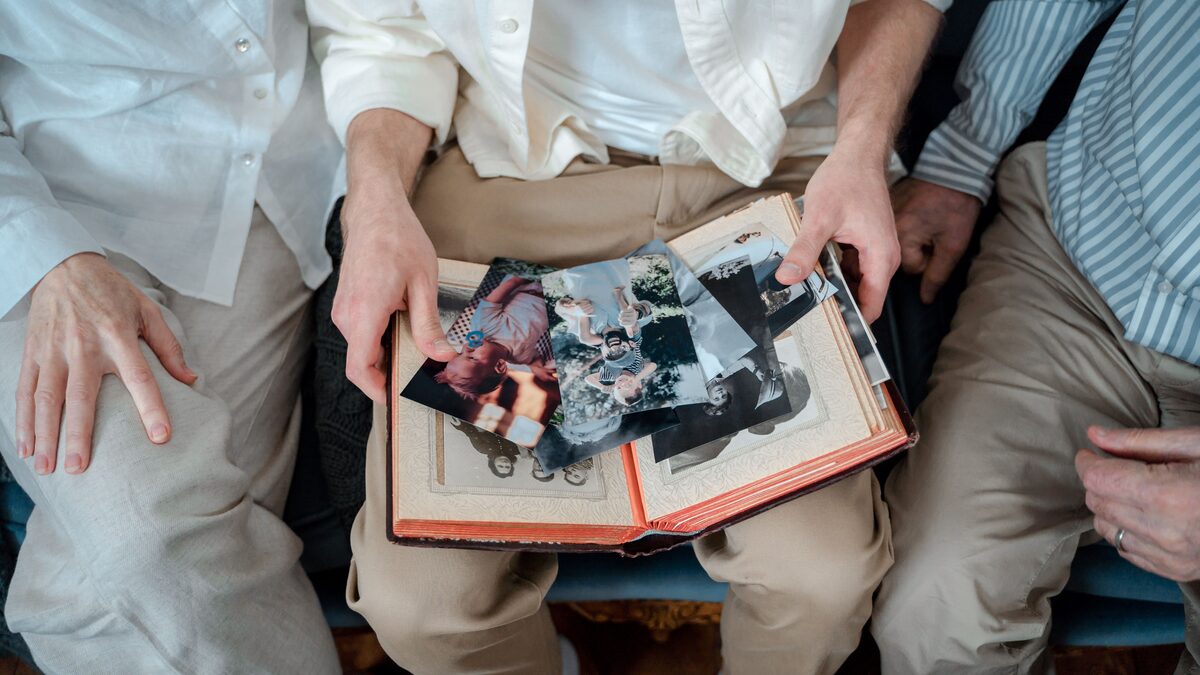
Scroll through a folder of photos in silence and you get a collection of moments. Add the right music underneath the same photos and you get a story. Music tells the viewer how to feel before a single caption appears, sets the pace at which images arrive, and ties a scattered set of pictures into something with a beginning, a middle, and an end. It is the difference between a slideshow people politely watch and one they actually sit through and remember.
The catch has always been finding the right track. Pull a popular song off the internet and you risk copyright claims the moment you upload the video anywhere. Settle for a bland stock loop and the montage feels like a corporate training clip. AI music for slideshows solves both problems at once. You describe the mood, the pace, and the length you need, and you get a custom track that fits your photos and belongs to you. This guide is organized by the kind of slideshow you are making, because the right song for a wedding is nothing like the right song for a travel recap.
Wedding slideshows
Wedding slideshows usually run at the reception or in the lead-up to it, and they carry a lot of emotional weight. The photos often span years: the couple as kids, how they met, the proposal, the road to the big day. The music has to hold all of that without tipping into background wallpaper.
Reach for something warm and building. A track that starts gentle, with soft piano or acoustic guitar, and gradually adds strings and a fuller arrangement will mirror the arc of the photos, from small beginnings to a life joined together. Avoid anything too fast or too busy, since the images need room to land. Ask for a heartfelt, cinematic feel, a mid-tempo pace, and a swell toward the end so the final photos hit hardest. Because you are making the track yourself, you can also match its exact length to the number of photos, which spares you the awkward fade-out mid-picture.
Vocals are a choice worth making deliberately here. A song with lyrics can be gorgeous, but if the words say something generic while the photos tell a specific story, the two can pull against each other. Many wedding slideshows work best with an instrumental, or with vocals that stay soft and wordless, so nothing competes with the memories on screen. If you do want lyrics, keep them broad and warm rather than telling a story that might clash with the pictures. Test both and watch the slideshow the way a guest would, from the back of the room, to see which version disappears into the moment and which one calls attention to itself.
Birthday and anniversary montages
Birthday and anniversary montages are celebrations, so the music should feel like one. These play at parties, over dinner, or as a surprise on someone's phone, and the tone can be a lot more playful than a wedding.
For a milestone birthday, think bright and upbeat, with a bounce that matches a room full of people. For an anniversary, you can lean warmer and more romantic while keeping the energy up. A fun touch is to nod to an era in the style: a track with a retro flavor for someone turning fifty, or a sound that echoes the year a couple got together. Ask the generator for the decade or genre you have in mind and let it set the mood. The point of these montages is joy, so pick something that makes people smile the moment it starts and keep the pace lively enough that the photos move.
These montages are also a natural place to make the music personal. Because you are generating the track rather than borrowing one, you can write the birthday guest or the anniversary couple right into a lyric, or match the style to a song that meant something to them without copying the song itself. A montage for grandparents celebrating fifty years might use a warm, old-fashioned sound that feels like their era. A thirtieth birthday for a friend obsessed with a particular genre can lean straight into it. The photos already say who the person is; a track built around the same person doubles the effect and turns a nice video into an unmistakably personal one.
Memorial and tribute slideshows
A memorial or tribute slideshow deserves extra care, because the music is doing gentle, important work in a hard moment. These play at services, celebrations of life, and family gatherings, and the goal is to honor a person and give the room space to feel and remember.
Keep it simple and unhurried. A soft piano piece, a quiet acoustic melody, or a calm instrumental with warm strings supports reflection without steering it. Slower tempos suit the pace of remembering, and a track without heavy percussion or sudden changes lets the photos breathe. You can also match the music to the person: a favorite style of theirs, an instrument they loved, a mood that felt like them. Making the track yourself means you can keep it as long as the slideshow needs and let it end softly rather than cut off. Handle this one with a light hand, and let the images and the music simply hold space for the people watching.
Travel and adventure recaps
Travel recaps are where you can have the most fun with pace and energy. A trip montage full of landscapes, street scenes, food, and the occasional blurry action shot wants music with momentum, something that feels like movement and discovery.
Match the sound to the trip. A road trip through wide open country might call for driving guitars and a big, open feel. A city adventure could suit an upbeat electronic or indie track with a quick pulse. A beach escape wants something breezy and warm. Faster cuts between photos work well here, so a track with a clear, steady beat helps you time the images to the rhythm and gives the whole recap a sense of energy. Tell the generator where you went and how the trip felt, and let it build a soundtrack that carries the viewer along the same route you took.
Travel recaps also do well with a track that has a bit of an arc, since a trip usually has one. You might open quiet and hopeful with the packing and the airport, lift into the main energy as the adventure gets going, and settle back down for the last few photos on the way home. A song that shifts with that shape, rather than running at one pitch the whole time, makes the recap feel like a journey instead of a highlight reel. If you are heading for a public post, this is also the friendliest occasion for it, since travel videos are among the most-shared clips online and a copyright-safe track keeps yours from being muted the moment it goes up.
Corporate and business slideshows
Corporate slideshows show up in a lot of places: a year-in-review at an all-hands, a product recap, a booth loop at a trade show, an onboarding deck for new hires. The music here has a job to do, which is to feel professional and confident without distracting from the message on screen.
Aim for clean and modern. A steady, optimistic instrumental with a light electronic or corporate-pop feel sits nicely under presentations and does not fight the narration or the on-screen text. Avoid lyrics if people will be talking over it, since vocals and speech compete for attention. Ask for an uplifting, understated track at a moderate tempo, and keep it consistent so it can loop without an obvious seam. The bonus of making it yourself is that it belongs to your company, so you can reuse it across decks and events without chasing licenses each time.
Consistency across a company's slideshows is quietly valuable. When your year-in-review, your onboarding deck, and your trade-show loop all share a musical style, the sound starts to feel like part of the brand, the same way a color or a font does. You do not need a different track for every deck; you need a small, coherent set you reuse. Make two or three versions in the same style at different lengths and energy levels, keep them in a shared folder, and anyone building a presentation can grab the right one. It saves time and it makes the company's output feel considered rather than assembled from whatever stock loop was handy that week.
Matching mood and length to the images
Whatever the occasion, two things decide whether the music fits: mood and length. Mood is the emotional match. Before you write a single prompt, look through your photos and name the feeling. Are they joyful, tender, nostalgic, energetic, calm? Put that word into your description first, because it steers everything else the track becomes.
Length is the practical match. A slideshow that runs three minutes needs roughly three minutes of music, not a ninety-second loop stretched thin or a six-minute song hacked off in the middle. When you generate a track, you can target the length you need, which means the music can start with your first photo and resolve on your last. If your photos are still being finalized, decide on an approximate runtime first, build the music to fit, and adjust the photo timing to match. Getting these two right, the feeling and the duration, does most of the work of a good montage before you touch the editing.
A quick way to size it is to count your photos and multiply by the seconds you want each to hold. Forty photos at four seconds each is about two minutes and forty seconds of music, so aim your track near there and give yourself a few seconds of breathing room at the start and end. Ending well matters more than people expect. A song that simply stops leaves the room hanging, while a track that resolves on a final chord as the last photo fades gives the whole slideshow a clean finish. Because you control the music, you can plan that ending on purpose instead of chopping a borrowed song and hoping the cut is not too obvious.
Timing music to your photos
Once you have a track that matches, a little timing makes a slideshow feel intentional rather than automatic. The simplest technique is to change photos on the beat. Play the music, tap along to find the rhythm, and set your slide transitions to land on those beats. Even loose alignment reads as polished, because the eye and the ear expect changes to happen together.
Save the big moments for the big musical moments. If your track builds to a swell or a chorus, put your strongest photo there, the wedding kiss, the summit shot, the surprised birthday face. When the music peaks on the best image, the whole montage clicks. Slower sections of the song are the place for quieter, more reflective photos, and faster sections can carry quicker cuts. Since you built the music around your images, you have a real say in where those peaks fall, which is a luxury a borrowed pop song never gives you.
Pacing overall matters as much as any single beat. A common mistake is holding every photo for the same number of seconds, which makes even great images feel like a spreadsheet. Vary it. Let a striking photo linger a beat longer, move quickly through a run of similar shots, and slow down again when the music does. As a rough starting point, three to five seconds per photo feels natural for most slideshows, but the music should have the final say. Watch the whole thing back at least once before you call it done, because problems that are invisible while editing, a photo that sits too long, a transition that fights the beat, jump out immediately on a full playthrough.
Copyright safety and downloading your track
The biggest headache with slideshow music has always been rights. Use a commercial song and platforms may mute your video, block it, or slap a claim on it, even when the slideshow is a personal tribute. A track you generate yourself sidesteps that, because you are not copying anyone else's recording, which makes it copyright-safe to include in a video you post or share. That is a real relief for anything headed to YouTube, social media, or a public screen.
One honest caveat: copyright-safe for your own use is not the same as free for every commercial purpose. Whether you can use a track commercially depends on the plan you made it under and the terms attached to it, so if the slideshow is for a paying client or a business campaign, check what your plan allows before you rely on it. For personal montages, family videos, and most everyday sharing, you are on solid ground.
Last step, and an easy one to overlook: download the finished audio before you start editing. A saved MP3 drops straight into any video or slideshow tool, plays without a live connection, and will not vanish if you close a browser tab mid-project. Having the file on your device also means you can reuse the same track across multiple versions of a montage without regenerating it. If you would rather skip the separate editor entirely and go straight from song to shareable clip, our guide on turning your song into a video walks through the whole thing.
Photos hold the moments. Music tells people how to feel about them. Match the song to the occasion, size it to your images, land your best shots on the biggest beats, and you turn a folder of pictures into something worth watching all the way through. Then download the track, drop it under your photos, and share a slideshow that actually moves people.
Give your photos a soundtrack
Make a custom track sized to your slideshow, then download it and drop it straight into your video editor.
Open the free downloader