Suno Downloader AI
AI techno music: a peak-time production recipe
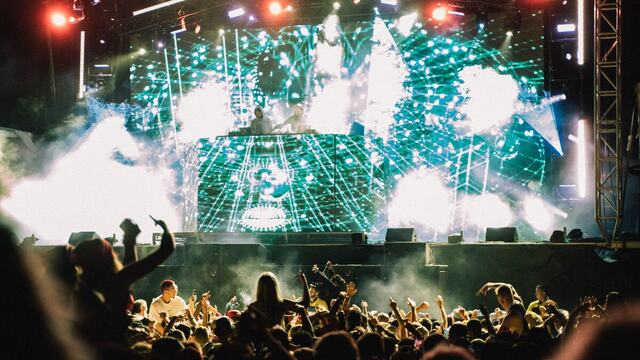
It is 1am. The room is dark except for a single strobe, the ceiling is sweating, and eight hundred people are moving to one thing: a kick that has not stopped for twelve minutes. Nobody is waiting for a chorus. There is no chorus. There is only the machine, breathing, tightening, opening up, and closing down again. That feeling is the whole point of techno, and it is also the hardest thing to get out of an AI generator on the first try.
This guide treats AI techno music like a build. We start with the kick and add one layer at a time, the way you would in a studio, and at each step there is a prompt idea you can hand to Suno. By the end you will have a track that works on a real system, not just a loop that sounds interesting for eight bars and then falls apart.
The relentless kick
Everything in techno sits on the kick, so it gets built first and it gets the most attention. A techno kick is not a pop kick. It is longer in the tail, it has weight in the low end, and it is tuned so that it pushes air rather than clicking. When you describe it to an AI techno generator, do not just say "add drums." Say what you want the kick to feel like: driving, four to the floor, deep, slightly distorted, sitting around 130 to 135 beats per minute.
The tempo matters more than people expect. Peak-time techno lives roughly between 130 and 138 BPM. Below that you drift toward house. Above 140 you are heading into hard techno and schranz, which is a different night entirely. Pick a number and put it in the prompt so the model does not guess.
Ask for a dry, punchy low end and very little melodic content at this stage. You want the generator to commit to rhythm before it tries to be pretty. If the first result comes back busy, strip the language back. Fewer adjectives, more repetition. Techno rewards restraint, and so does the prompt that describes it.
Once the kick feels solid, listen on the worst speaker you own. A phone. A laptop. If the kick still reads as a steady pulse there, it will carry a club. If it disappears, the tuning is wrong and no amount of layering on top will fix it.
It also helps to think about the sub bass underneath the kick before you move on. In a lot of techno the kick and the sub are almost the same idea, one short low sine wave that gives the beat its body on a big rig. If you ask the generator for "a deep sub-heavy kick with weight below 60 hertz," you are steering it toward that club-ready feel rather than a thin, mid-heavy thump that vanishes the moment it leaves your headphones. Get the low end committed here and every later layer has something to sit on.
Resist the urge to add anything melodic yet. Producers who are new to techno tend to reach for a lead within the first minute because silence above the kick feels empty. It is not empty. It is a foundation. The longer you can live with just a great kick and a room-shaking sub, the stronger the finished track tends to be, because you are forcing yourself to make the rhythm interesting before the melody bails you out.
The hypnotic loop
Now the second pillar. Techno is loop music, and the loop is what pulls a listener into a kind of trance. This is usually a short synth or bass phrase, one or two bars long, that repeats with tiny changes. The magic is in the repetition. Your brain stops tracking it as a melody and starts treating it as texture, and that is when the floor locks in.
When you prompt for this, ask for a "hypnotic, repetitive analog bassline" or a "looping detuned synth stab" and be clear that it should not develop into a full melody. If you give the generator room to be melodic here, it will take it, and you will lose the trance. Keep the harmonic range tight. One chord, or no chord at all, is completely normal in techno.
The interplay between the kick and the loop is where the groove lives. Try asking for the bassline to sit just off the kick, filling the space between beats, so the two parts breathe against each other. That call and response between low end and loop is the engine of the whole track, and it is worth generating several versions to find the one that feels the most alive.
Texture matters as much as the notes. A raw analog synth, a slightly detuned oscillator, a hint of distortion or a bit of dirt on the signal, is what separates a loop that sounds like a plugin preset from one that sounds like a record. Feed the generator words like "gritty," "analog," "warm," or "detuned" and see which one gives you character without turning to mud. Then leave it mostly alone. The point of a hypnotic loop is that it does not demand your attention, it just quietly refuses to let go.
Movement inside the loop keeps it from getting boring over several minutes. In a studio you would automate a filter slowly opening and closing across the loop, so the same two bars feel different at minute one and minute four. You can suggest this to a generator by asking for "a slowly evolving filtered bassline that opens up over time." It will not automate it exactly the way you would by hand, but it nudges the model toward gradual change rather than a static loop that wears thin.
Save more than one loop while you are here. A good technique is to build a track around a main loop and then swap in a second, related loop halfway through for variation. When you find takes you like, download them so you have a small library to arrange from later.
Tension and release without a big drop
Here is where techno parts ways with most electronic music. There is no giant build to a huge drop with a vocal and a lead. The tension in techno is slower, quieter, and more patient. It comes from filters opening over sixteen or thirty-two bars, from a hi-hat that gets busier, from a single element being removed and then brought back. The release is the return of the kick after a breakdown, not an explosion of sound.
To get this from an AI generator, think in terms of energy words rather than drop words. Ask for a "long filter sweep building tension," a "gradual rise in intensity," or a "stripped-back breakdown where the kick drops out and a pad swells." Avoid words like "drop" and "chorus," which pull the model toward pop structure.
The breakdown is your most useful tool. In a techno track it might be a passage where the kick disappears entirely for eight or sixteen bars, leaving the loop, a pad, and some reverb hanging in the air. Tension gathers in the absence of the kick. When it comes back, the room reacts, even though nothing dramatic technically happened. Generate breakdown sections separately if the model struggles to hold back, then arrange them into the main track by hand.
Reverb and delay do a lot of quiet work in this part of the track. A short delay throw on a stab, a long reverb tail on a pad, a filtered sweep of white noise rising underneath, these are the tools that make an empty breakdown feel enormous. When you prompt, ask for "spacious reverb and delayed echoes in the breakdown" and let the space itself become an instrument. Techno is as much about the air between the sounds as the sounds themselves, and a breakdown is where that air gets to speak.
Think about contrast, too. A breakdown only lands if the section before it was dense and driving. If your whole track sits at the same energy, the quiet parts read as gaps rather than release. So build one section busy and full, then strip the next one bare, and let the difference between them do the emotional work.
The table below maps a few common techno moods to prompt language you can reuse. Treat it as a starting point and change one variable at a time so you can hear what each word does.
| Subgenre | Feel | Prompt starting point |
|---|---|---|
| Peak-time | Big, driving, room-filling | Driving peak-time techno, 134 BPM, deep punchy kick, hypnotic bassline, long filter build, dark energy |
| Minimal | Sparse, hypnotic, patient | Minimal techno, 128 BPM, dry kick, tiny repetitive blips, lots of space, subtle groove, almost no melody |
| Melodic | Emotional, rolling, warm | Melodic techno, 124 BPM, rolling bassline, warm analog pads, slow evolving lead, hopeful and dark at once |
| Industrial | Hard, metallic, raw | Industrial techno, 138 BPM, distorted kick, metallic percussion, gritty noise textures, relentless and cold |
| Acid | Squelchy, wild, retro | Acid techno, 132 BPM, squelchy 303 bassline, resonant filter sweeps, raw analog energy, hypnotic loop |
Start with the kick
Generate your techno layers in Suno, then grab clean audio files to arrange your set. No account, no watermark, no fuss.
Open the free downloaderThe hi-hats and percussion
With the kick, loop, and tension shaped, the track needs movement in the higher frequencies. This is the job of the hi-hats and the smaller percussion. In techno, the closed hi-hat often runs on the offbeat, sitting between the kicks, and that single placement is what turns a stiff pattern into something that rolls forward. Open hats, shakers, rides, and the occasional clap fill in the rest.
When you describe percussion to the generator, ask for "crisp offbeat hi-hats" and "rolling sixteenth-note percussion" and mention whether you want the hats swung or dead straight. Swing loosens the groove and gives it a human, slightly drunk feel. Straight timing keeps it clinical and machine-like. Both are correct techno. It depends on the night you are scoring.
Percussion is also where you add motion over time. A common move is to start a section with just a closed hat, then bring in an open hat, then a shaker, then a ride, layering the top end so the energy climbs without touching the kick or the loop. If your generator gives you everything at once, ask it for a sparser version and build the layers up yourself across an arrangement.
Small percussive details are what make a techno groove feel like a living machine rather than a metronome. A short rim tap here, a distant clap there, a bit of metallic noise that ticks along on the edge of hearing, all of it adds up to a sense of a real room full of gear. Ask for "subtle background percussion and metallic ticks" and keep it low in the mix. These sounds are felt more than heard, and pulling them out entirely is the fastest way to make a track sound flat and lifeless.
Watch the high frequencies for harshness. AI-generated hats can come back thin and piercing, especially if you asked for "bright" or "crisp" too strongly. If a take stabs at your ears on headphones, regenerate with softer language, or pick a warmer take and download it so you can roll off the top later in an editor.
Arranging for a long DJ mix
A techno track is rarely listened to alone. It lives inside a set, mixed in and out of other records over the course of a night. That changes how you arrange it. The intro and outro are not decoration. They are the tools a DJ uses to blend, and if you get them right your track becomes something people actually play.
Give the track a long, simple intro: kick and maybe a hat, running for sixteen or thirty-two bars with almost nothing else. This gives a DJ a clean, beat-matched runway to bring your track in under the previous one. The same goes for the outro. Strip it back down to the kick and a single element so the next record can rise underneath. When you prompt, ask specifically for a "long DJ-friendly intro with just kick and hats" and a "stripped outro that fades to a single loop."
Structure the middle for stamina, not for a three-minute pop arc. Think in long blocks: a driving section, a breakdown, a bigger driving section, a shorter breakdown, a final push. Each block can run for a minute or more. The whole track might land between six and eight minutes, which feels long on a streaming service but is exactly right on a dancefloor.
Because most AI generators produce shorter clips than a full club track, arranging becomes a stitching job. Generate strong sections separately, the intro, the main groove, the breakdown, the peak, and then download each one and assemble them in a DAW. This also lets you control the exact bar counts a mix needs, which the generator will not respect on its own.
Keep your levels consistent across sections so the track sits at a steady loudness when a DJ blends it. A breakdown can feel quieter musically while still hitting the same peak level, which keeps mixes smooth. Reference a techno track you love, match its overall loudness by ear, and your track will sit comfortably next to it in a set.
One last habit worth building: name and organize everything. When you download your generated stems and sections, label them by role and BPM. Future you, halfway through preparing a set at midnight, will be grateful for a folder that reads "134 main groove" instead of "untitled final v3." Good file hygiene is not glamorous, but it is what separates a pile of clips from a track you can actually perform.
Build it in this order, kick first, loop second, tension and percussion next, arrangement last, and AI techno music stops sounding like a demo and starts sounding like a record. The generator is your synth rack and your drum machine. The recipe, and the patience to keep it repetitive, is still yours.